Connect your WhatsApp number
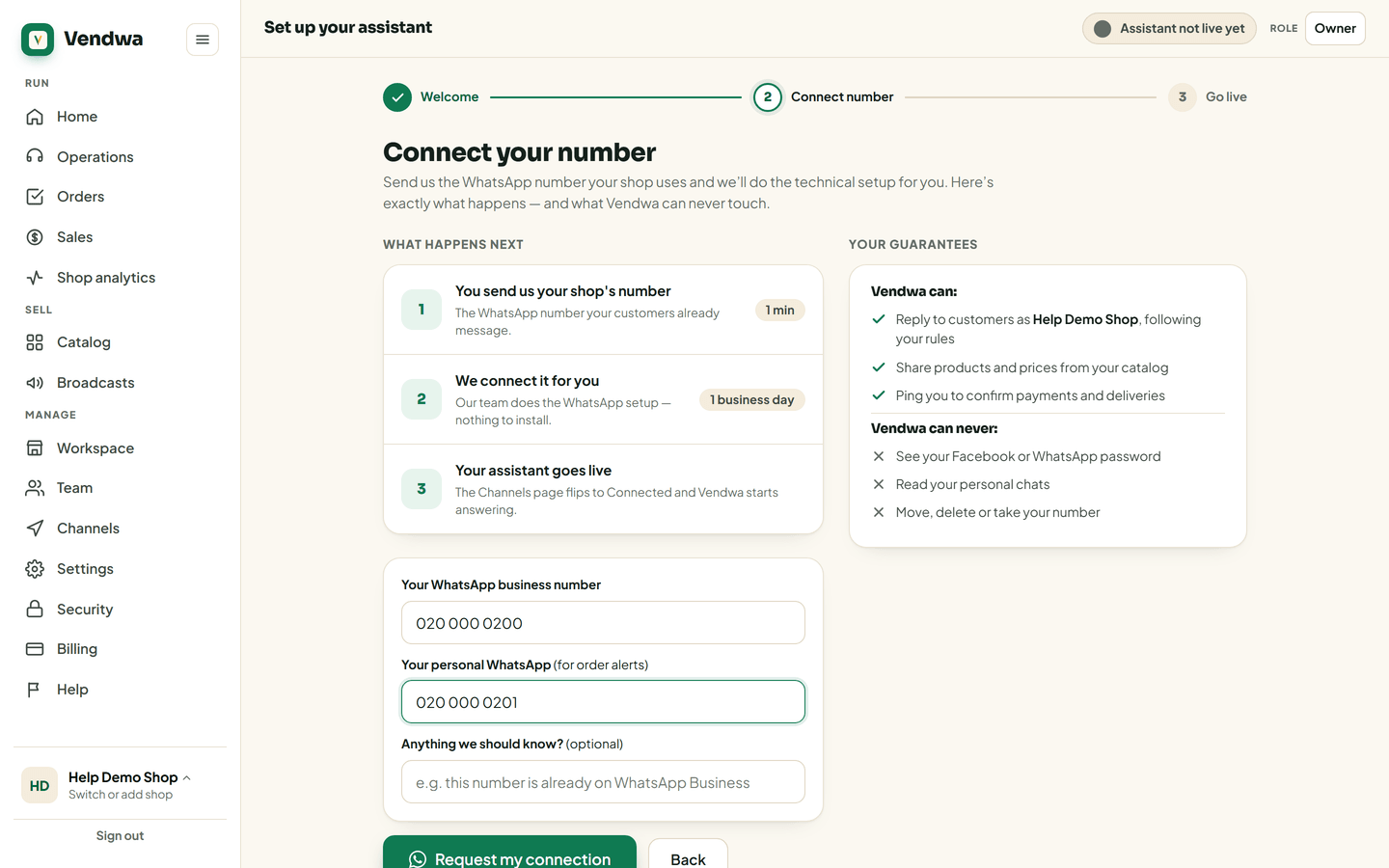
Send us the WhatsApp number your shop already uses. We connect it for you, usually within one business day.
You keep your number. You keep your chats. Your customers keep the number they saved.
We connect it for you. You send us the number, our team does the setup on Meta's side, and the WhatsApp card flips to Connected. There is nothing to install.
Steps
- Open Channels. On a new account, the setup page opens by itself after sign-up.
- Enter your WhatsApp business number, the one customers already message. Example: 055 000 0000.
- Enter your personal WhatsApp. New orders ping this number, so use one you keep WhatsApp on.
- Add a note if there is something we should know. "This number is already on WhatsApp Business" is a useful one.
- Tap Request connection. On the setup page the button reads Request my connection.
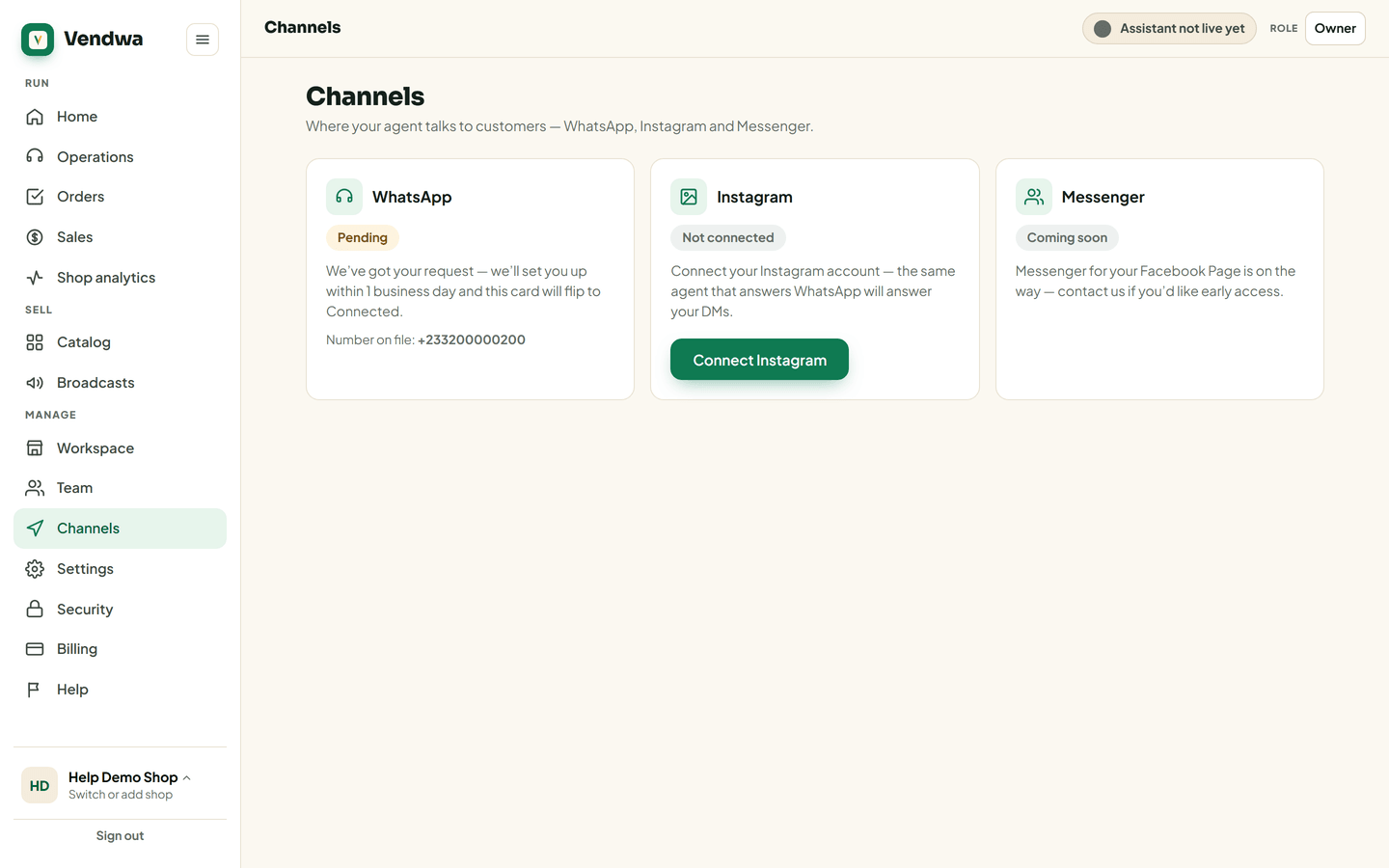
The WhatsApp card now shows Pending. We connect it within one business day.
Keep using the WhatsApp Business app
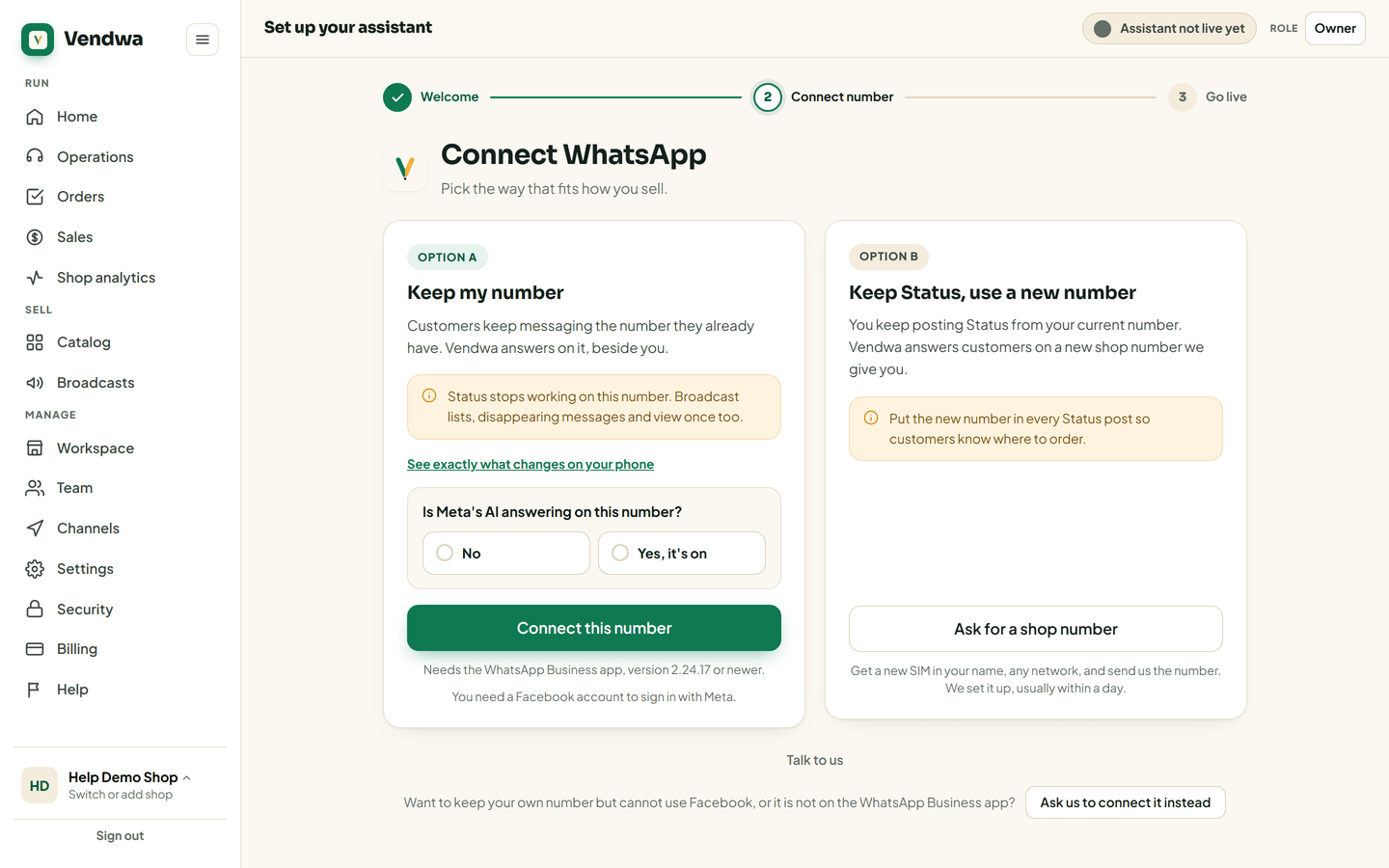
When you connect, you can choose Keep my number. Your number then works in two places at once: Vendwa answers your customers, and you keep the WhatsApp Business app on your phone to read and reply yourself.
- On the connect page, under Option A: Keep my number, tap Connect this number.
- Sign in with Facebook. You need a Facebook login for this step.
- When Meta asks, create a new business portfolio. This option works when you create one in the flow.
- Confirm your number with the code. It shows inside the WhatsApp Business app on your phone.
If Meta sends the code by SMS or a call instead, that is the standard path. Your number then moves off the WhatsApp Business app and runs on Vendwa only.
On your phone, Status, broadcast lists, disappearing messages and view once stop working on this number. You need the WhatsApp Business app, version 2.24.17 or newer.
Good to know
- Sending this request does not start your free trial. The trial starts when Vendwa answers your first customer. Nothing is charged.
- Only an owner or a manager can send the request.
- Your email and phone number must be verified first.
- Vendwa never sees your Facebook or WhatsApp password, never reads your personal chats, and cannot move or take your number.
- While you wait, add your products. Vendwa can only sell what is in your catalog. See Add a product.
We read every answer. We do not ask for your name.