Add a product
Web & app 2 min read
Photos, name, price, floor, stock and sizes. The catalog is the only place Vendwa gets its facts.
Vendwa can only sell what is in your catalog. It never invents an item, a price or a size. What you type here is exactly what your customers hear.
Steps
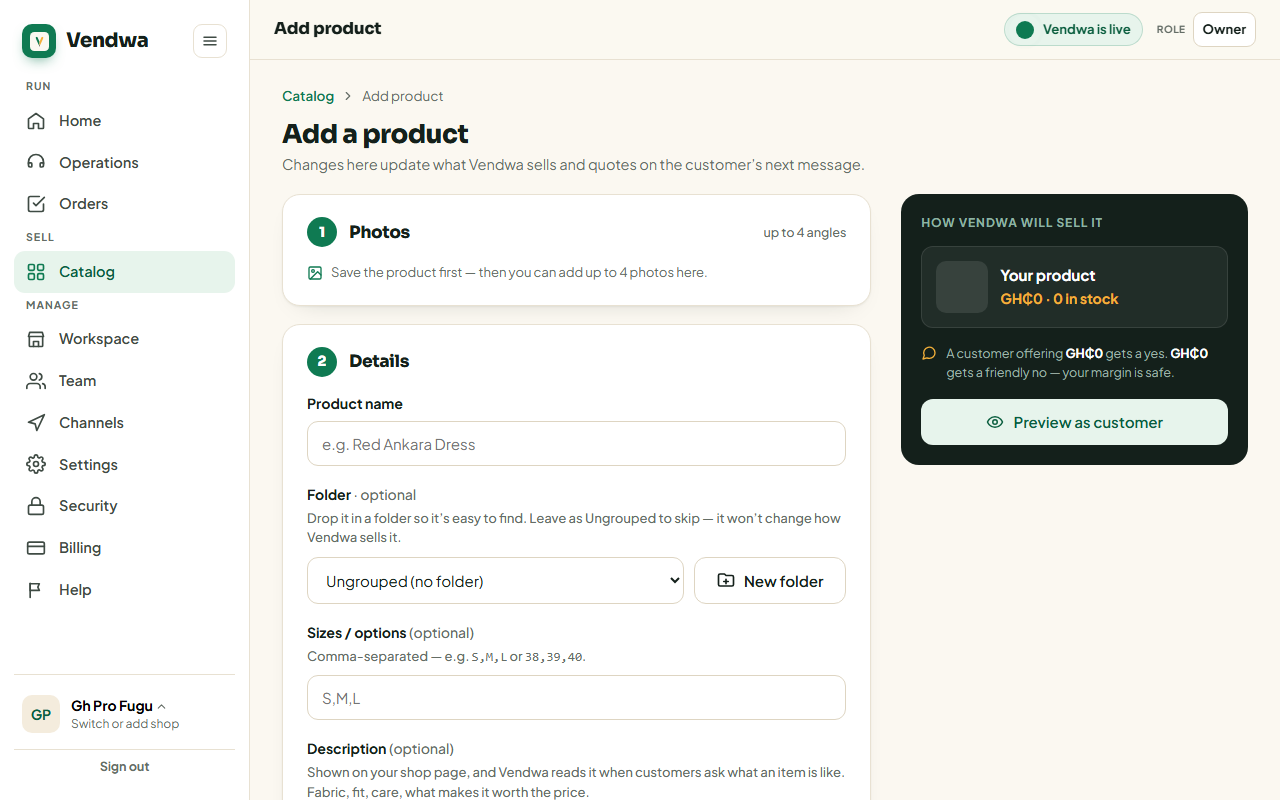
- Open Catalog and tap Add product (on the phone, the + button).
- Add your photos. The first one is the cover. Up to four.
- Type the name your customers use. "Kente wrap dress", not "Item 04".
- Enter the selling price in cedis. This is what Vendwa asks for first.
- Set the floor price, the lowest you would ever accept. Leave it empty, or tick Fixed price, if the price does not move.
- Enter stock. Set 0 and Vendwa stops selling it.
- For clothing, add at least one size (see below).
- Tap Save product.
Sizes on clothing
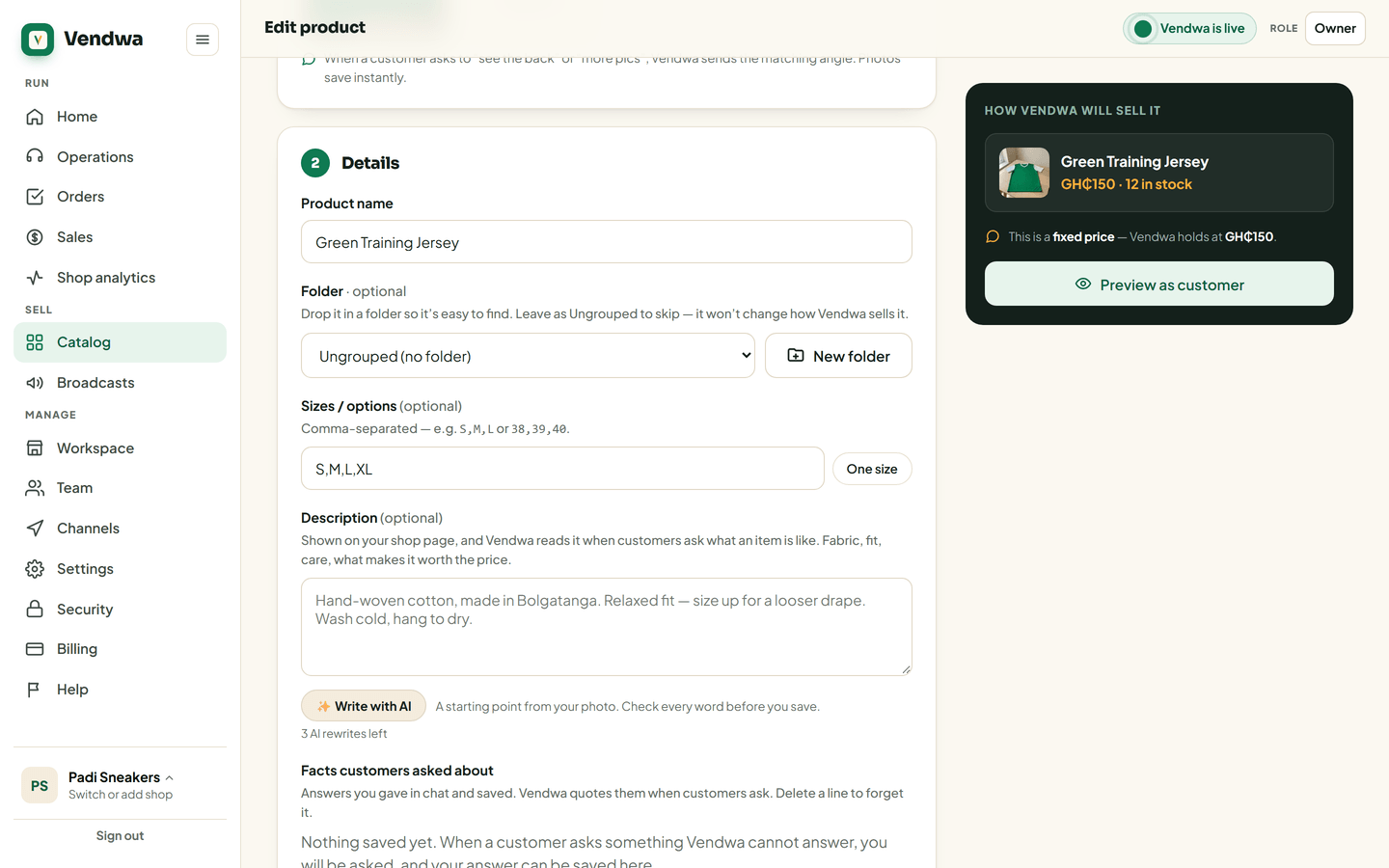
Customers tap a size when they order. So a clothing item needs at least one size before you can save it.
- Type the sizes with commas:
S,M,Lor38,39,40. - Free-size item, like a smock? Tap the One size chip.
Older clothing items with no sizes show a yellow Add sizes pill in your catalog. Tap it and fill them in.
The optional fields
- Description: fabric, fit, care. Vendwa reads it when a customer asks "what is it like?", and it shows on your shop page. It will not add a fact you did not write.
- Search keywords: other words customers use.
dress,ankara,gownhelps Vendwa match "gown" to this item. - Folder: where you find it in the app. It changes nothing about how Vendwa sells it.
Good to know
- Your plan caps how many products you can hold: 100 on Starter, 300 on Pro, unlimited on Business.
- Not sure Vendwa has what it needs? Run Check my shop from Settings. It asks your shop 5 common customer questions and shows you the answers.
Was this helpful?
We read every answer. We do not ask for your name.