Delivery areas and pickup
Web & iOS 1 min read
List your delivery areas and fees, or let a rider agree the fee. Switch on pickup and customers can collect with no delivery fee.
At checkout, the customer picks where the order goes from a list. That list comes from here.
If you arrange delivery yourself
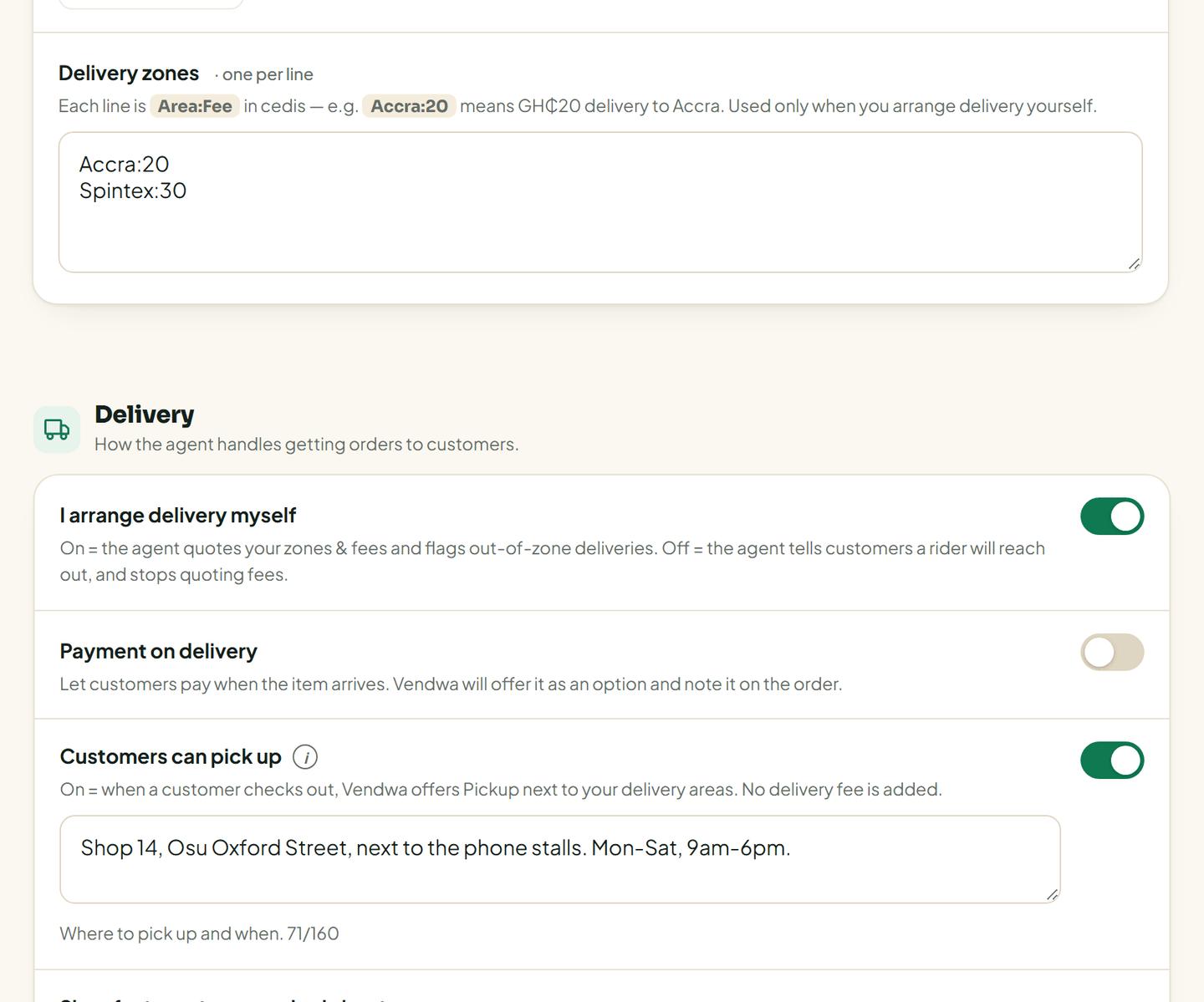
- On the web, open Settings, then Delivery. In the app: Account, Shop details, Delivery.
- Turn on I arrange delivery myself.
- Under Delivery zones, write one area per line as Area:Fee in cedis. For example
Accra:20means GH₵20 to Accra. - Save.
Vendwa now adds the right fee to every order as its own line, and flags any address outside your zones.
If a rider handles it
Turn I arrange delivery myself off. Vendwa then tells customers that a rider will reach out, and the fee is agreed between the customer and the rider. Vendwa stops quoting delivery fees.
Let customers pick up
- In Delivery, turn on Customers can pick up.
- Fill in Where to pick up: the address and when you are open, in up to 160 characters. "Shop 4, Oxford Street, Osu, opposite the bus stop."
- Save.
At checkout, Pickup now appears next to your delivery areas, with no delivery fee.
Good to know
- The Note for the agent box takes anything extra, like a typical fee range or the areas your riders cover.
- Payment on delivery is offered per zone, so set your zones first. See Pay on delivery and deposits.
- Only an owner or a manager can change these settings.
Was this helpful?
We read every answer. We do not ask for your name.