Returns and exchanges
Web & iOS 1 min read
Answer four short questions and Vendwa tells customers your returns policy the same way every time. Until you do, it asks you.
"Can I change it if it doesn't fit?" Customers ask before they pay. Set your answer once here and Vendwa gives it every time, in the same words.
Set your policy
- On the web, open Settings, then Returns & exchanges. In the app: Account, Shop details, Returns & exchanges.
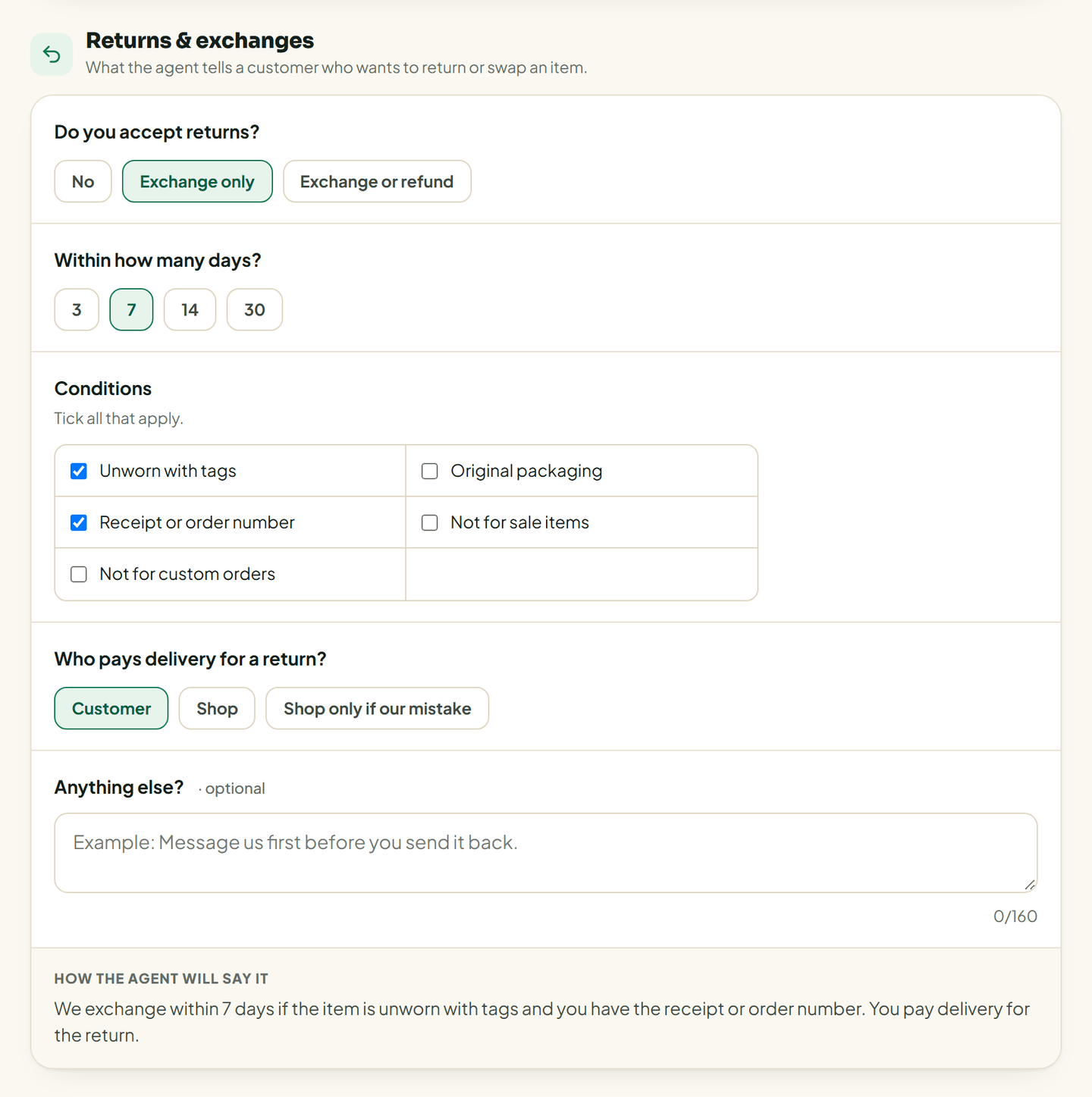
- Do you accept returns? Pick No, Exchange only, or Exchange or refund.
- Within how many days? Pick 3, 7, 14 or 30.
- Conditions. Tick all that apply: unworn with tags, original packaging, receipt or order number, not for sale items, not for custom orders.
- Who pays delivery for a return? Customer, Shop, or Shop only if our mistake.
- Anything else? An optional note, up to 160 characters. "Message us first before you send it back."
- Save.
Check the wording
Under your answers, How the agent will say it shows the exact sentence Vendwa will use. For example: "We exchange within 7 days if the item is unworn with tags. You pay delivery for the return."
If you allow refunds, Vendwa adds that refunds go by MoMo to the number the customer paid from.
If you leave it empty
Until this is set, Vendwa does not guess. When a customer asks about a return, it brings you into the chat.
Good to know
- A customer who wants to return something is still handed to you. Vendwa explains the policy; you handle the return.
- Only an owner or a manager can change the policy.
- Check my shop asks about exchanges. If it shows Add exchange policy, this is the page it means.
Was this helpful?
We read every answer. We do not ask for your name.