Your WhatsApp number for order pings
The WhatsApp number that gets your new-order buttons and customer questions. Changing it needs a code and your Shop PIN, then waits 24 hours.
This is your own WhatsApp, not the shop's. Vendwa sends it your new-order buttons, and pings it when a customer asks something Vendwa cannot answer.
Whoever holds this number can answer for your shop. So it is guarded like your MoMo number.
Add it
- Open Settings, then Shop.
- Find Your WhatsApp number.
- Type the number and save.
Without it, you miss the pings for Customers asked. See Customers asked: answer once, Vendwa remembers.
Change it
You need a Shop PIN first. See Your Shop PIN and changing your MoMo number.
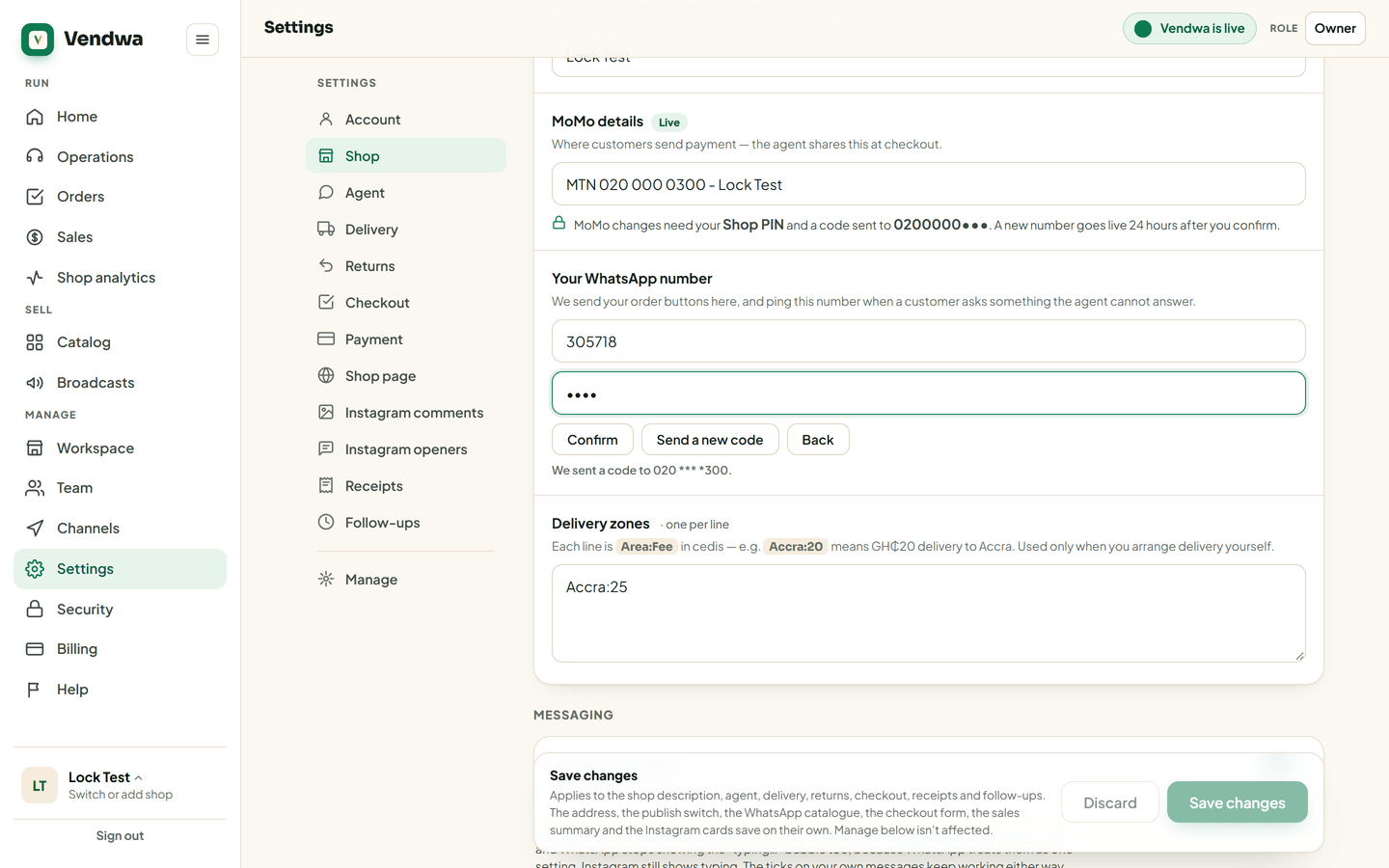
- In Your WhatsApp number, tap Update number.
- Type your password.
- Type the new number. We send a code to check it.
- Type the code and your Shop PIN.
The new number starts getting pings in 24 hours. Your old number keeps getting them until then, and it is told about the change.
Not you? Cancel the change in Settings, or lock your shop. See Emergency: lock your shop.
Good to know
- Only the owner can add or change this number.
- Every step is written to the Access log.
- This is not the number customers message. That stays your shop's WhatsApp number on Channels.
We read every answer. We do not ask for your name.