Emergency: lock your shop
Web & iOS 1 min read
Think someone is in your account? Lock your shop. Everyone is signed out and MoMo changes freeze, but the agent keeps selling.
An alert about a MoMo change you did not make. A sign-in from a phone you do not own. Do not wait. Lock your shop.
Lock it
On the web:
- Open Security.
- Tap Emergency? Lock my shop.
- Tap Lock my shop to confirm.
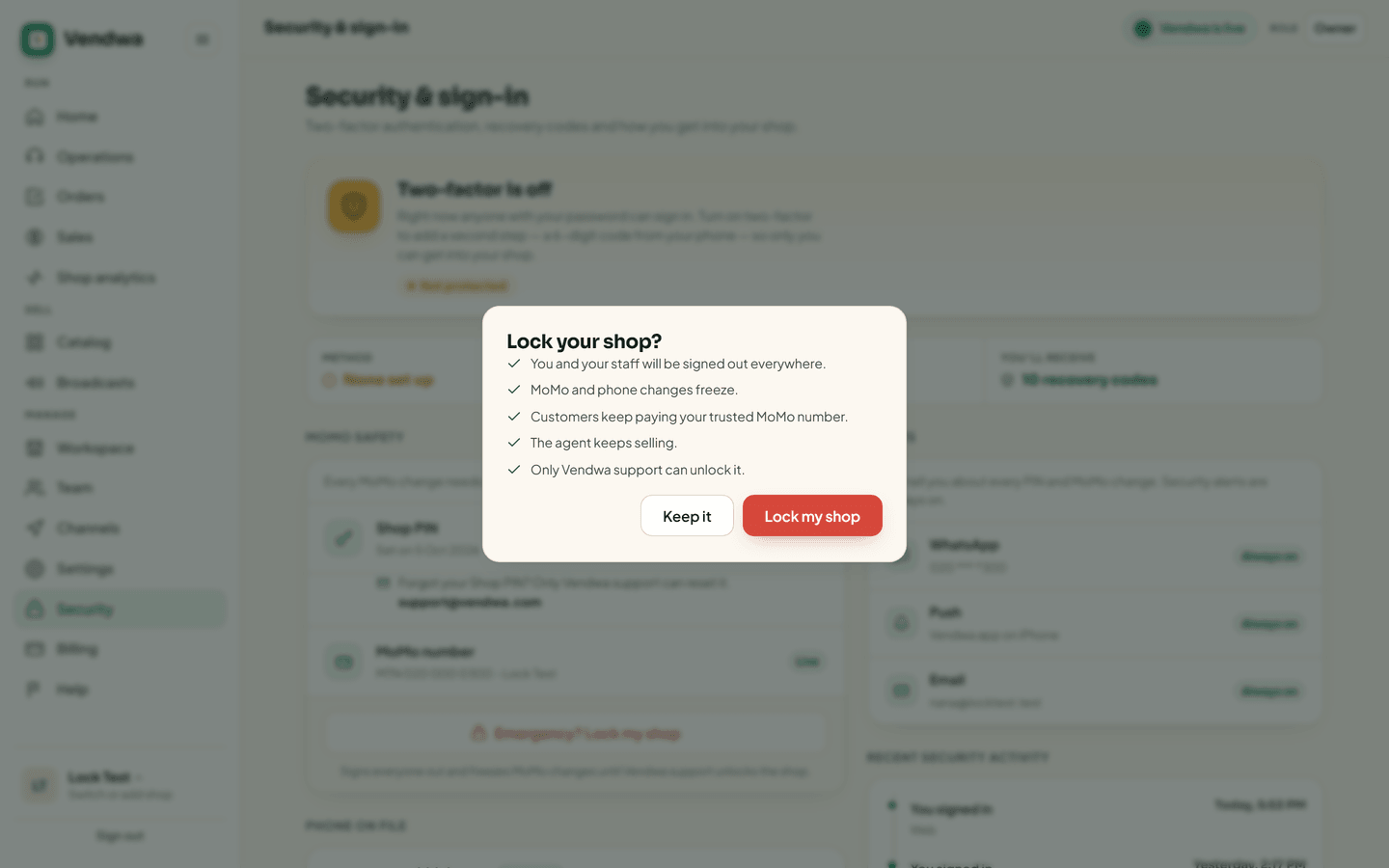
In the app: Account, Security, Not you? Lock your shop.
You can also tap This was not me on a MoMo change alert, or the "Not you? Lock your shop" link in our text messages.
What happens
- You and your staff are signed out on every device, this one too.
- Nobody can sign in until Vendwa support unlocks the shop.
- MoMo and phone number changes freeze. A MoMo change that was waiting is cancelled.
- Customers keep paying your trusted MoMo number.
- The agent keeps selling. Your customers notice nothing.
Unlock it
Only Vendwa support can unlock a shop. Write to support@vendwa.com, or message the front desk on WhatsApp.
Good to know
- Only the owner can lock the shop.
- Locking is written to the Access log, so you can see later what happened and when.
- If you are not sure, lock it anyway. A locked shop still sells. A stolen MoMo number does not come back easily.
Was this helpful?
We read every answer. We do not ask for your name.