Your Shop PIN and changing your MoMo number
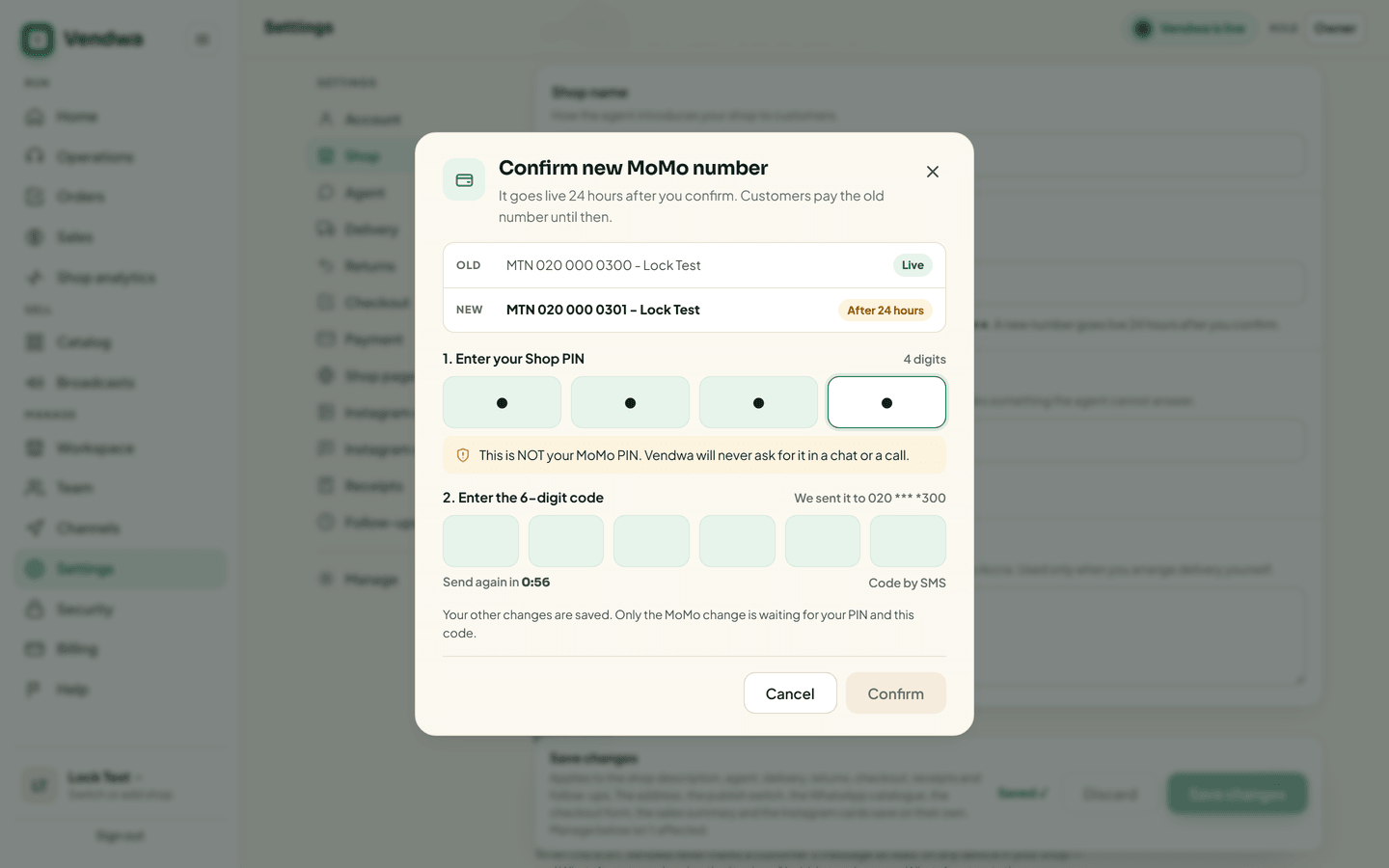
Every MoMo number change needs your Shop PIN and an SMS code, then waits 24 hours while you are alerted. Owner only.
Your MoMo number is where customers send money. Anyone who changes it could take your sales. So Vendwa makes it slow and loud to change.
Set your Shop PIN
- On the web, open Security and find MoMo safety. In the app: Account, Security, Shop PIN.
- Tap Set PIN and type your password.
- Choose 4 digits, then type them again.
Keep it to yourself. Nobody can see it again, not even you. Only Vendwa support can reset it.
Change your MoMo number
- Open Settings, then Shop, and tap Change next to your MoMo details. In the app: Account, Security, MoMo number.
- Type your password.
- Type the new number.
- Type the 6-digit code we text to your phone on file, and your Shop PIN.
The change now waits 24 hours. Until then, customers keep paying your current number. You are told by push, email and WhatsApp, and the Security page shows A MoMo change is waiting.
Changed your mind? Tap Cancel change. Customers keep paying your current number.
If it was not you
If you get an alert about a change you did not make, tap This was not me or lock your shop straight away. See Emergency: lock your shop.
Wrong PINs
After 5 wrong Shop PINs, MoMo changes are locked for 24 hours. The agent keeps selling. Customers still pay your current number.
Good to know
- Only the owner can change the MoMo number or set the Shop PIN.
- The code comes by SMS. An authenticator app cannot be used for this step.
- Disconnecting WhatsApp also asks for your Shop PIN or a code.
We read every answer. We do not ask for your name.