If Meta's AI is answering on your number
Meta's own AI and Vendwa cannot both answer one number. Vendwa pauses there and tells you. Turn Meta's off, then tap Check again.
Meta is adding its own AI agent to the WhatsApp Business app. If it is on for your shop's number, it answers your customers, and Vendwa cannot. Two salespeople talking over each other would confuse a customer, so Vendwa steps back on that number.
How you know
- On Channels, the WhatsApp card says: "Meta's AI is answering on this number. Vendwa is paused here."
- You get a push: "Meta's AI is answering your customers".
Your other channels keep working. Instagram is not affected.
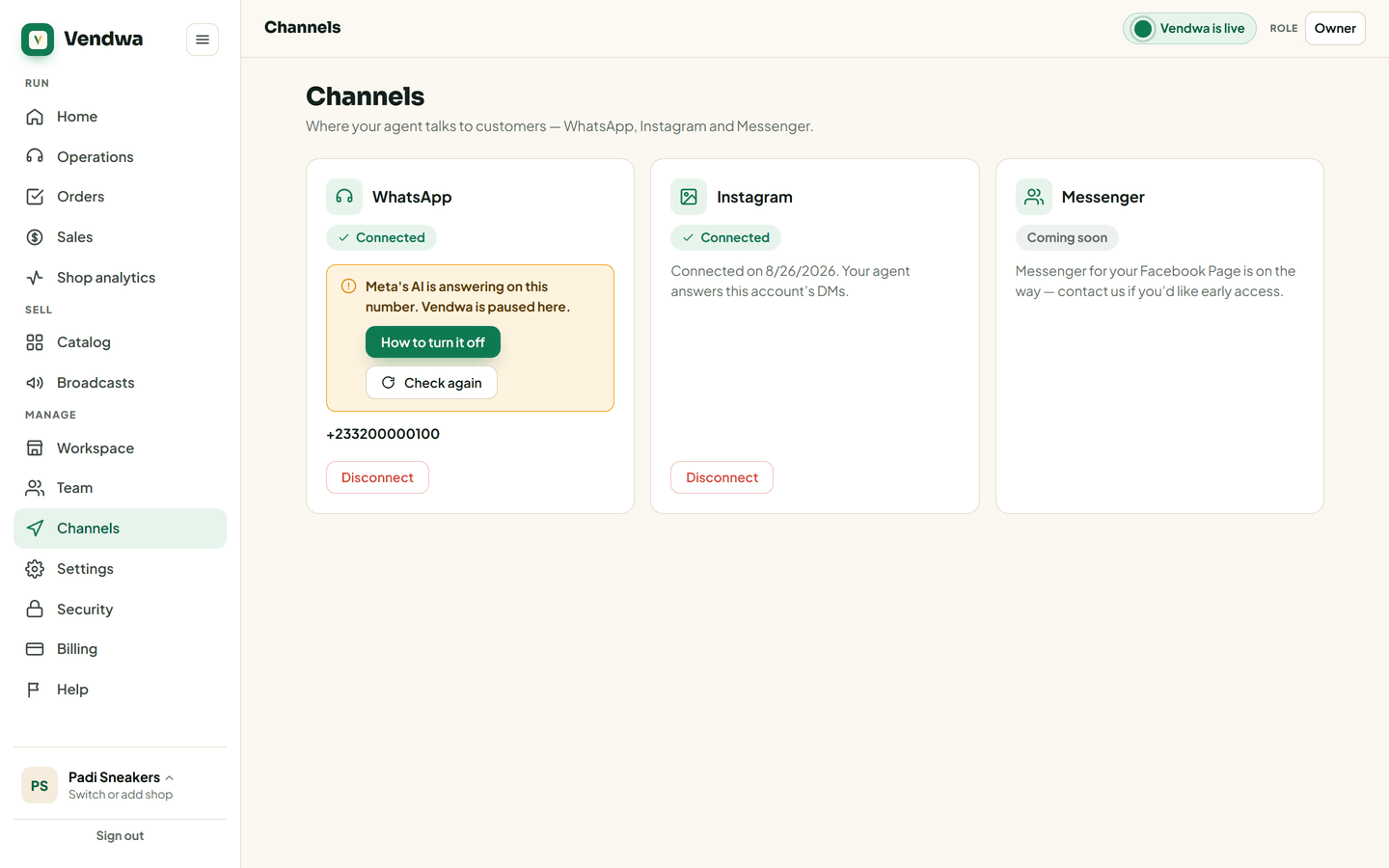
Turn Meta's AI off
- On the phone that holds your shop number, open the WhatsApp Business app.
- Open Tools and look for Meta Business Agent.
- Pause its AI replies.
Meta is still rolling this out, so the menu may look different on your phone, or be missing. If you cannot find it at all, Meta's AI is not answering on your number.
The How to turn it off button on the card shows the same steps.
Tell Vendwa it is off
- Open Channels on the web, or Account, Channels in the app.
- Tap Check again on the WhatsApp card.
When Meta's AI is off, the card says "Vendwa is answering on this number." Vendwa answers your next customer.
Good to know
- Only someone holding the shop's phone can switch Meta's AI off. Usually that is the owner.
- Vendwa never turns Meta's AI off for you, and never turns it on.
We read every answer. We do not ask for your name.