Record a sale
Web & iOS 1 min read
Closed a sale yourself in a chat? Record it in under a minute so your orders, stock and sales figures stay right.
When Vendwa closes a sale, the order is written down for you. When you close one yourself, write it down here. Otherwise your stock and your sales figures are wrong.
Record it
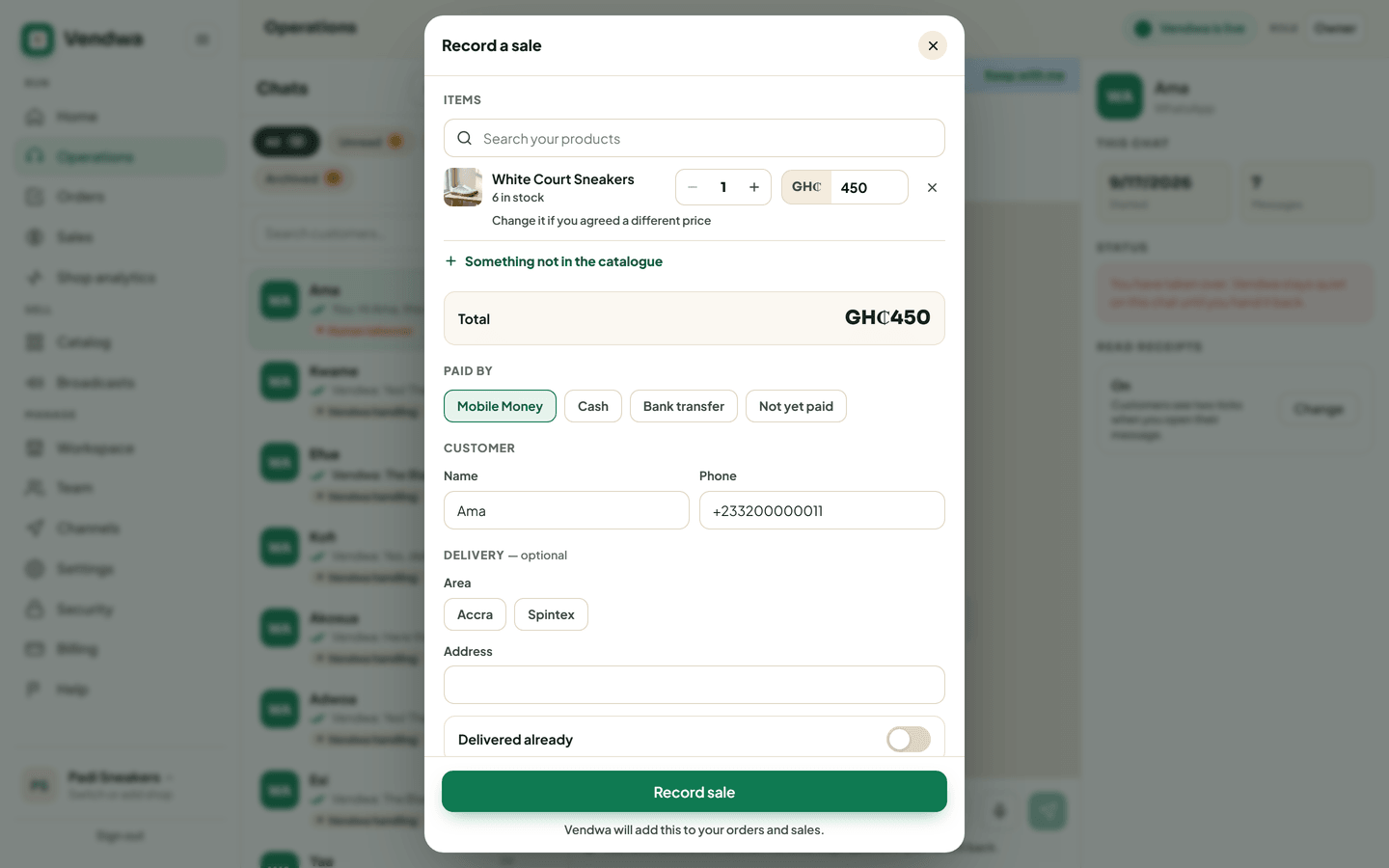
- Open the chat. On the web, tap Record a sale at the top. In the app, tap + next to the composer, then Record a sale.
- Under What did they buy?, search your products and pick one. Not in your catalog? Use Something not in the catalogue and type a name.
- Set the quantity. Change the unit price if you agreed a different price.
- Check the customer's name and phone. Add delivery if there is any.
- Under Paid by, pick Mobile Money, Cash, Bank transfer or Not yet paid.
- Leave Send receipt on if the customer should get a receipt now.
- Tap Record sale, then Yes, record it.
The order lands in Orders marked with who recorded it. Stock goes down by the quantity sold.
When Vendwa asks you
When you hand a chat back after a takeover that looked like a sale, Vendwa may ask: "Did you close this sale?" Tap Record a sale, or No sale if nothing was bought. The same question shows on your Home screen on the web.
Good to know
- Anyone on your team can record a sale, a salesperson included.
- A "Not yet paid" sale gets no receipt until it is marked paid.
- Selling the last ones? The form warns you that stock will go to 0.
- If you have Ask for my password again on for big sales, a sale over your amount asks for your password.
Was this helpful?
We read every answer. We do not ask for your name.