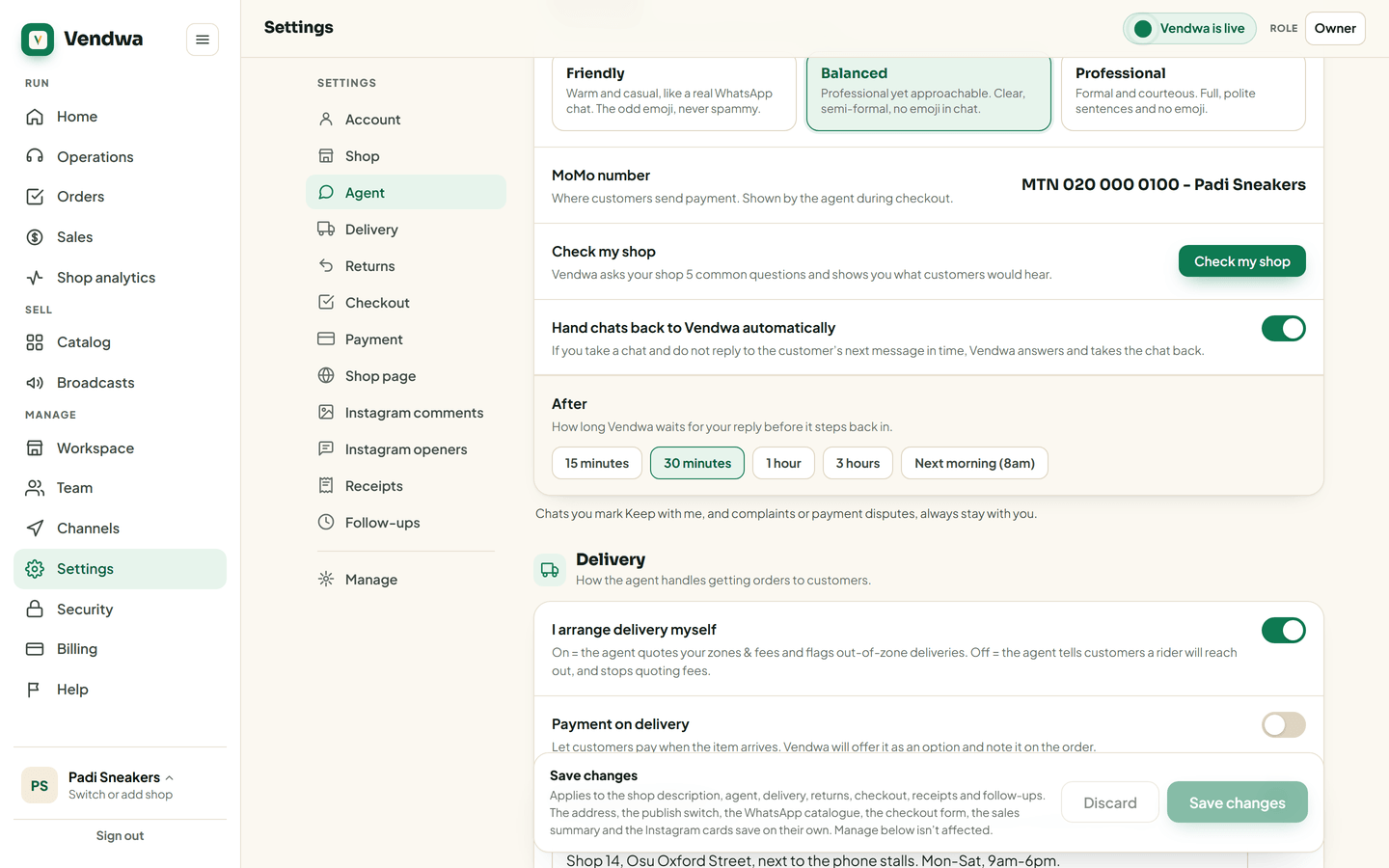
Hand chats back to Vendwa automatically
Took over a chat and got busy? Vendwa can take it back after a wait you choose, so no customer is left without an answer.
You take over a chat, reply once, then a customer walks into your shop. The chat sits there. The customer waits, then gives up. Auto hand-back stops that.
Turn it on
- On the web, open Settings, then Agent. In the app: Account, Shop details, Auto hand-back.
- Turn on Hand chats back to Vendwa automatically.
- Under After, pick how long Vendwa waits for your reply: 15 minutes, 30 minutes, 1 hour, 3 hours or Next morning (8 in the morning).
- Save.
How it works
When a customer writes in a chat you hold and you do not reply in time, Vendwa answers them and takes the chat back. A line in the chat shows what happened, and you get one ping.
The wait counts from whichever came later: your last message, or the customer's message. So you always get the full time to answer.
Chats that stay with you
- Chats you mark Keep with me in the chat.
- Complaints, returns and payment disputes. Those are yours to answer, however long it takes.
Old messages
If the customer's message is more than a day old, Vendwa takes the chat back quietly. It does not reply to a message that old, and it does not ping you. The line in the chat says "Vendwa took this chat back."
Good to know
- Only an owner or a manager can change this setting.
- You can still hand a chat back yourself at any time. See Take over a chat.
We read every answer. We do not ask for your name.