Export your customers
Web & iOS 1 min read
Download your customer list as a CSV file for Excel or Google Sheets. Owners and managers only, with your password or Face ID.
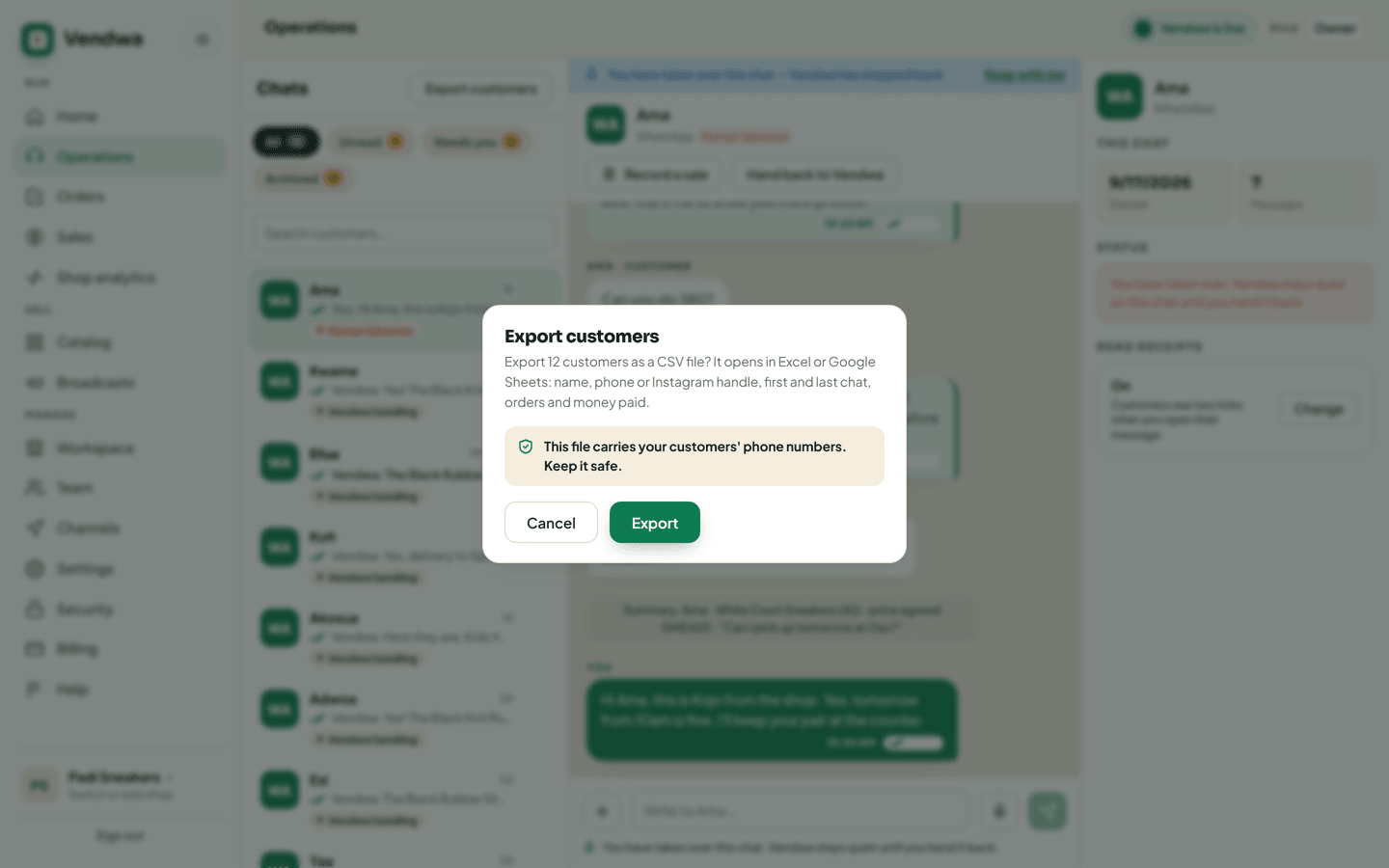
Your customers are yours. You can take the list out any time: name, phone number or Instagram handle, first and last chat, orders, and money paid.
On the web
- Open Chats.
- Tap Export customers at the top.
- Read the count: "Export 128 customers as a CSV file?"
- Tap Export and type your password.
The file downloads. It opens in Excel or Google Sheets.
In the app
- Open the Chats tab.
- Tap the export button at the top.
- Confirm with your password or Face ID.
- Share the file to where you keep it.
Keep the file safe
This file carries your customers' phone numbers. Do not post it in a group chat or leave it on a shared computer. Your customers trusted your shop with their numbers, not the whole internet.
Good to know
- Only an owner or a manager can export.
- You can make 3 files an hour.
- Every export is written to the Access log, with how many rows it had, so the owner always knows who took the list.
- Want everything Vendwa holds for your shop, not only customers? See Export your data.
Was this helpful?
We read every answer. We do not ask for your name.