Broadcast timing: quiet hours, one a day, test sends
Nothing sends between 9 at night and 8 in the morning. One broadcast a day per shop. Schedule up to 30 days ahead.
Customers said yes to news, not noise. These rules keep it that way.
Quiet hours
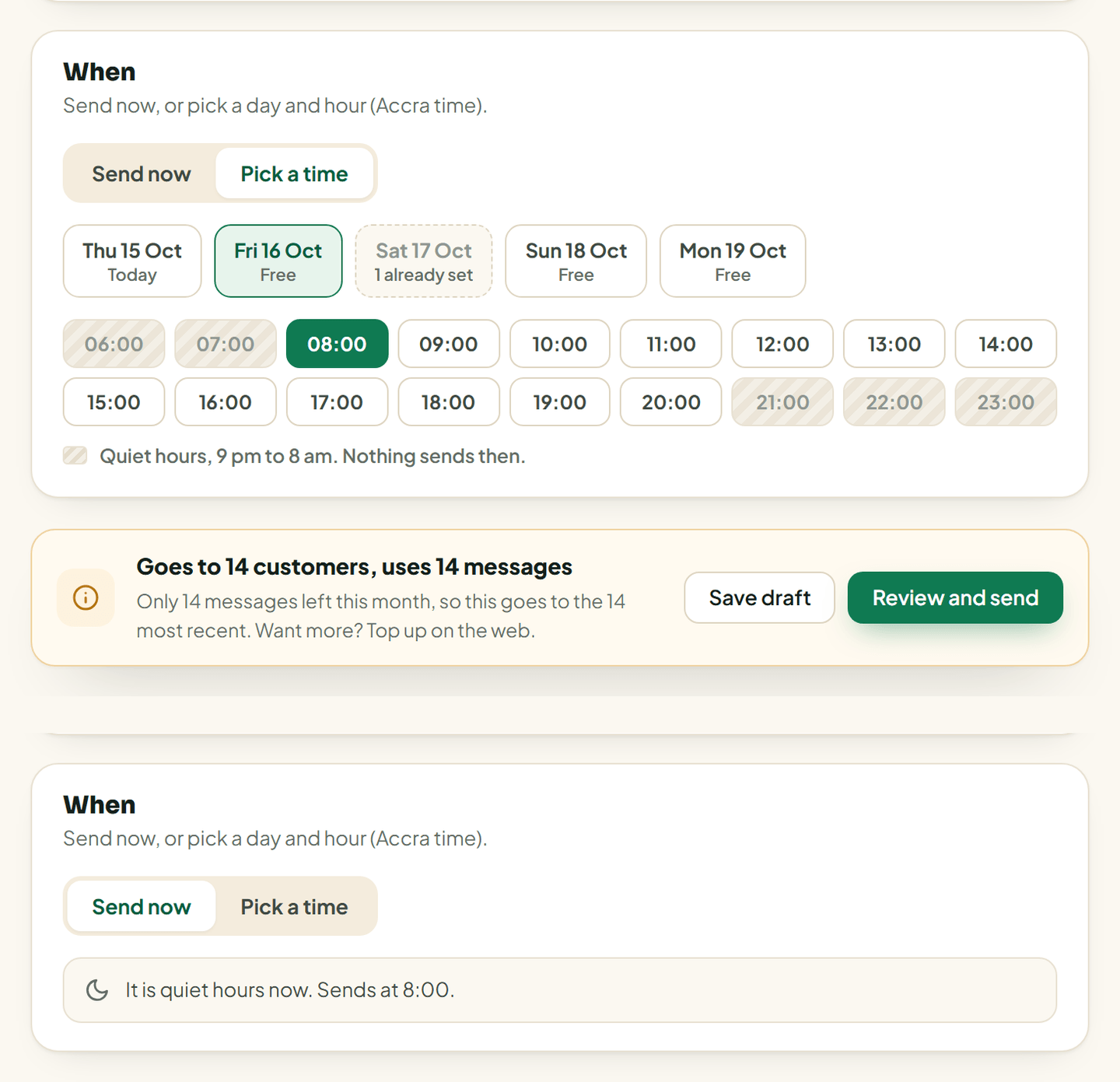
Nothing sends between 9 at night and 8 in the morning, Ghana time. If you set your own quiet hours for nudges, broadcasts follow those instead.
Tap Send now during quiet hours and the screen says it will go at 8:00.
One a day
Your shop can send one broadcast a day. When you pick a date, a day that already has one is marked, and you cannot add a second.
Schedule ahead
- Under When, pick a day and an hour, Accra time.
- You can pick any day in the next 30 days.
- Tap Review and send.
The broadcast sits under Scheduled until it goes. Tap Edit to change it, or cancel it before it starts.
If the products in it sell out or lose their photo, or Vendwa is paused for your shop when it is due, it is cancelled and the list says why.
Test sends
Send a test to my WhatsApp shows you exactly what customers get.
- It goes to your WhatsApp number from Settings, Shop.
- Message your shop's number once first, so WhatsApp lets it through.
- 3 tests a day. Each one uses 1 message.
Good to know
Some numbers can only send now, not later, because of WhatsApp's 24-hour rule. The composer tells you when that applies. See If your number also runs on the WhatsApp Business app.
We read every answer. We do not ask for your name.