How to send a broadcast
Write a short message, add one product or several, pick who gets it, and send now or later. About two minutes.
Steps
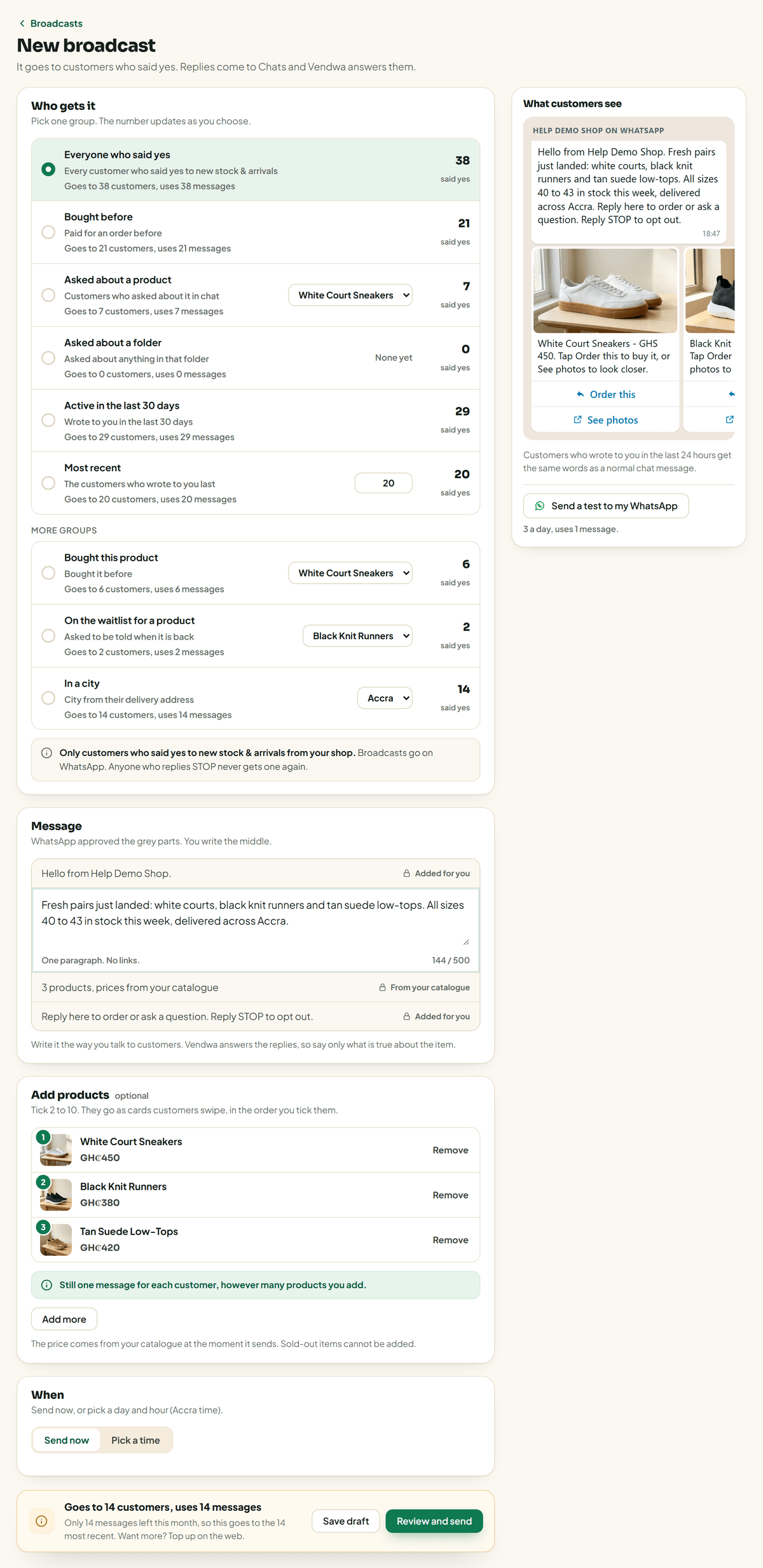
- On the web, open Broadcasts and tap New broadcast. In the app: Account, Broadcasts.
- Under Message, write what is new, the way you talk to customers. One paragraph, up to 500 characters, no links.
- Add products if you want (see below).
- Under Who gets it, pick a group. See Choose who gets a broadcast.
- Under When, send now or pick a day and hour.
- Tap Review and send. Check What customers see, then confirm.
It starts going out within a minute. You can cancel until then.
One product or several
- One product: tap Add a product. The customer sees its photo and an I want this one button.
- Several products: tap Add products and tick 2 to 10. They go as cards the customer swipes, in the order you ticked them. Each card has Order this and See photos.
It is still one message per customer, however many products you add. Prices come from your catalog at the moment it sends. A product must be in stock and have a photo.
Write it well
Say only what is true about the item, because Vendwa answers the replies. "New week, new smock. Three colours, all sizes, ready today." beats "AMAZING DEALS!!!"
Try it on yourself first
Tap Send a test to my WhatsApp. It goes to your own WhatsApp number from Settings and uses 1 message. You get 3 tests a day.
After it sends
Open the broadcast to see how many it was Sent to, Delivered, Read, Replied and Orders. Replies count for 3 days, orders for 7.
We read every answer. We do not ask for your name.