Pause Vendwa
Pause the whole shop and Vendwa stops answering. Messages still arrive, and you can reply by hand.
Sometimes you want the shop quiet. A stock-take, a price change, a bad day. Pause stops the agent for the whole shop.
Pause it
You pause from the Vendwa app.
- Open the Home tab.
- Find the green row that says Vendwa is selling.
- Tap Pause.
- Confirm.
The row turns amber and reads Vendwa is paused.
What still works while paused
- Customer messages still arrive and are saved. Nothing is lost.
- You and your team can reply by hand, chat by chat.
- Receipts and payment confirmations still go out.
What stops
- Vendwa does not reply to anyone.
- Follow-up nudges waiting to go out are cancelled.
Start again
In the app, tap Resume selling on the amber row. On the web, the Home page shows a red banner once the shop has been paused for more than a day. Tap Resume there.
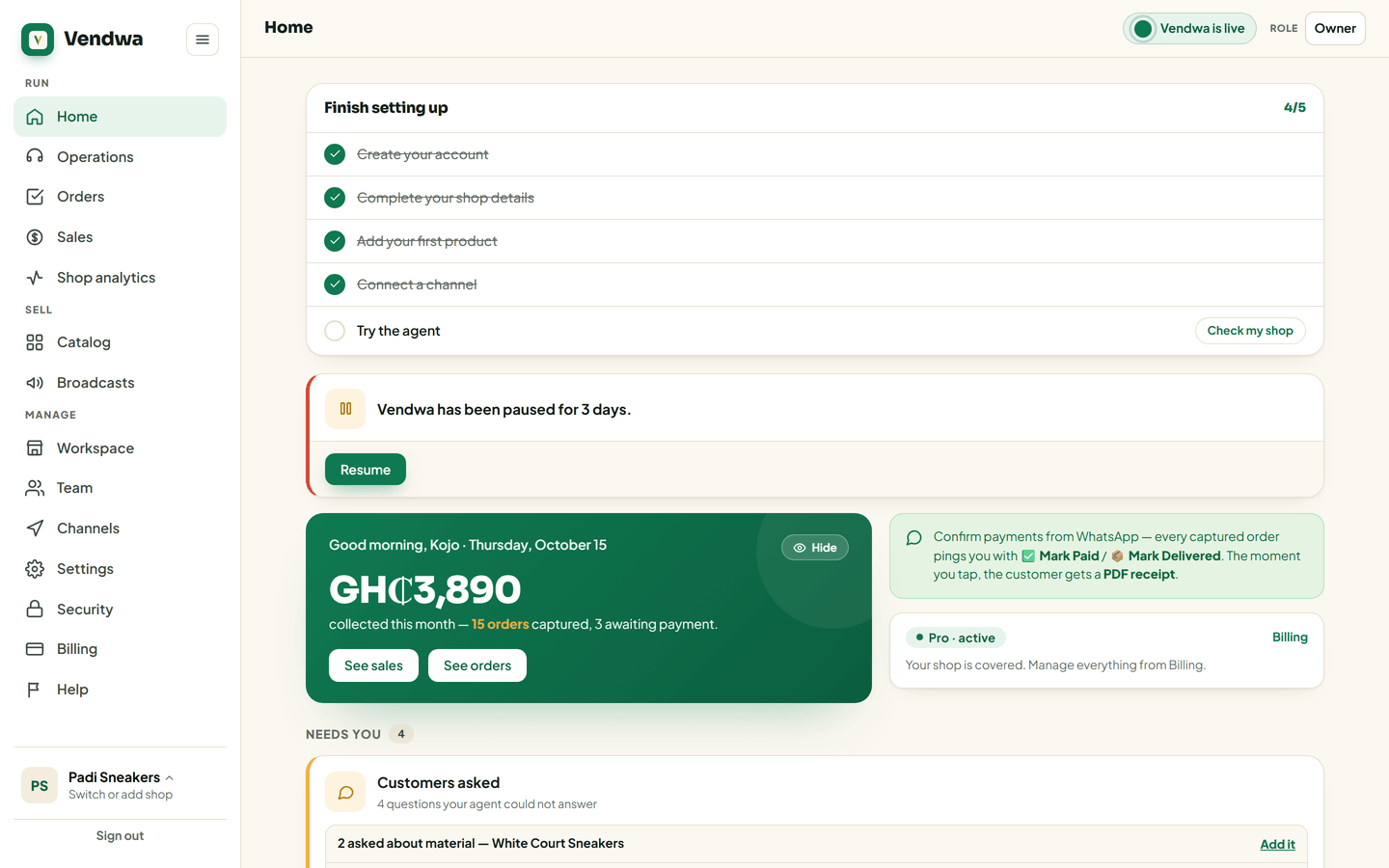
Vendwa picks up from where each chat stands.
The morning reminder
A paused shop is easy to forget. If yours stays paused for more than a day, owners and managers get a push at 8:30 in the morning. It says how many customers wrote and got no reply. You get at most 7 of these, one a day.
Good to know
- Only an owner or a manager can pause or resume. Salespeople see the state, so nobody wonders why the shop went quiet.
- To quiet one chat instead of all of them, take that chat over. See Take over a chat.
We read every answer. We do not ask for your name.