Run more than one shop with one login
One login, several shops. Add a shop on the web, switch in two taps, one bill for all of them.
Selling fabric under one name and shoes under another? You don't need a second account. One Vendwa login can hold several shops.
How many shops you get
- Starter: 1 shop
- Pro: 2 shops
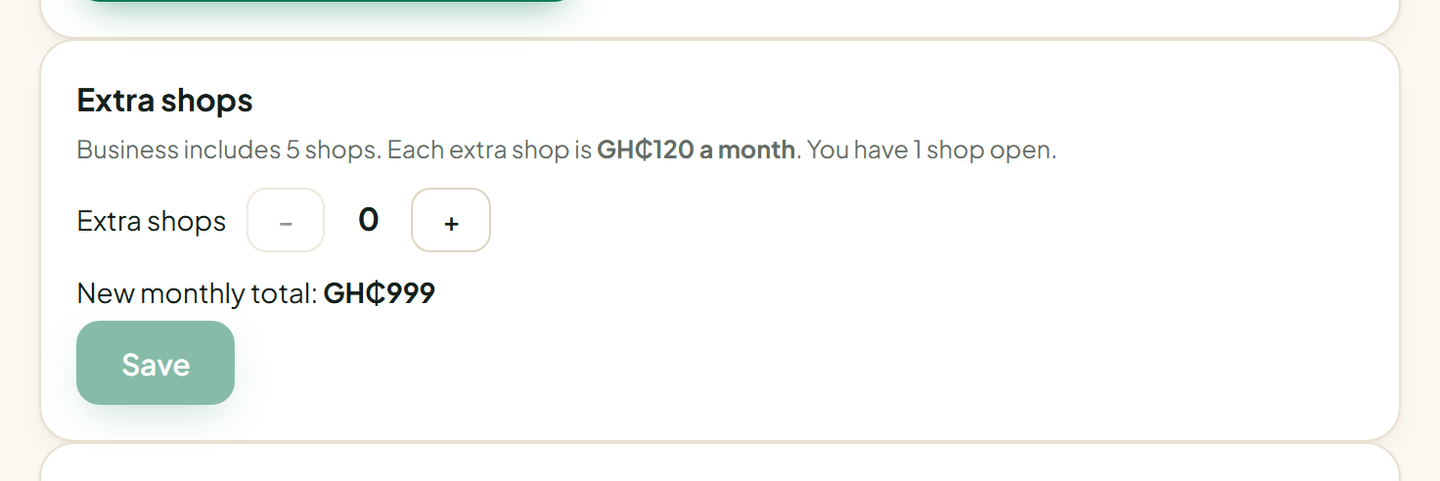
- Business: 5 shops. Each extra shop after that is GH₵120 a month. Business owners add them in Billing (see below).
Your 14-day trial allows 2 shops, the same as Pro. All your shops sit on one plan and one bill.
Add a shop
You add a shop on the web, at app.vendwa.com. The Vendwa app, on iPhone or Android, cannot add a shop, but it can switch between the shops you have.
- Log in on a computer or in your phone's browser.
- On a computer, click your shop name at the bottom of the left menu. On a phone, tap More.
- Choose Add a shop.
- Type the shop's name and the MoMo details its customers pay to.
- Tap Create shop. You land inside the new shop.
- Connect its WhatsApp number, as you did for the first shop. See Connect your WhatsApp number.
Your email must be verified before you can add a shop.
More shops than your plan has
If you have used all your shops, Add a shop tells you so.
- On Business: open Billing on the web dashboard and use Extra shops. Pick how many you want; the page shows the new monthly total and what you pay today. Each one is GH₵120 a month (GH₵60 during your Founding Vendor half-price months). Your plan must be paid up first. Today you pay only for the time you have already paid for, worked out to the day; after that it is on every invoice. Then come back and add the shop.
- On Starter or Pro: extra shops are a Business feature. Change to Business from Billing on the web dashboard.
To remove an extra shop, use the same Extra shops box. You cannot go below the shops you have open, so archive a shop first (open it, go to Workspace, then Delete this shop). The next invoice is lower; nothing is refunded for the current month.
Switch between shops
On the web, open the same shop menu and pick a shop. The dashboard reloads inside it. In the Vendwa app, tap the shop name at the top of Home and pick one.
Shared and separate
Shared by all your shops:
- your login and password
- your plan and your bill
- your monthly conversations. On Pro, 150 is for all your shops together, not 150 each. Top-up packs count for every shop.
Each shop keeps its own:
- WhatsApp number and Instagram
- MoMo details
- products and floor prices
- chats and orders
- team. Someone can work in one shop and not the other.
Product and team-seat limits count per shop.
We read every answer. We do not ask for your name.