What each role can do
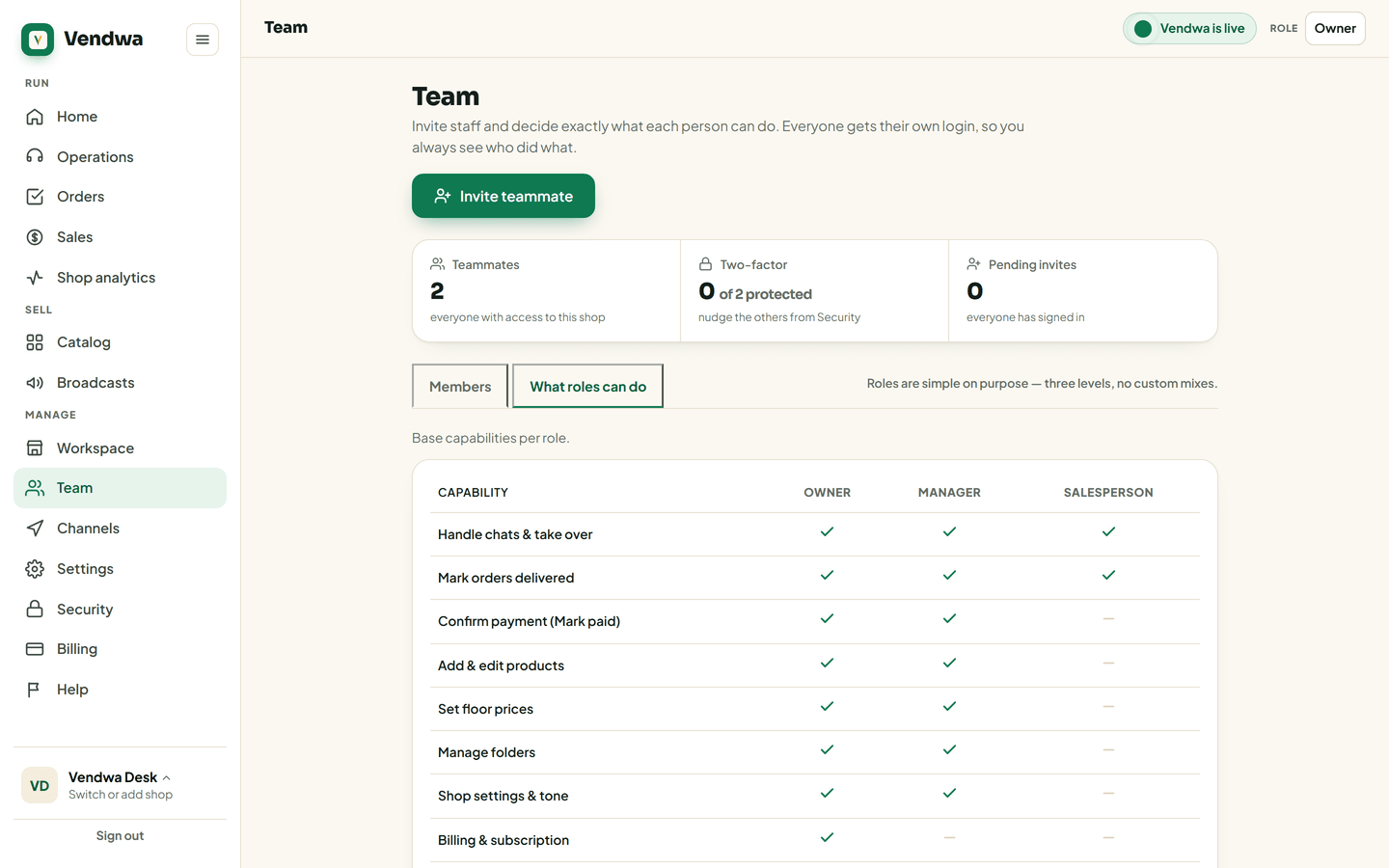
Owner sees everything. Manager runs the shop. Salesperson handles customers and never sees a floor price.
Three roles. The differences are about money and prices, not about trust.
Owner
Everything. Billing, team, settings, products, floor prices, chats, orders, the shop page, the Shop PIN and MoMo number, the access log. One owner per shop.
Manager
Runs the shop day to day: chats, whispers, confirm payments, products, folders, floor prices, settings, broadcasts and sales figures.
No billing. No team management. No MoMo number changes.
Salesperson
Handles customers: read chats, take over a chat, reply, rename a customer, record a sale, flag payments, mark delivered.
Cannot change prices, products, folders or settings. Cannot whisper. Cannot see a floor price, not on the screen and not in the data behind it. Cannot see sales figures.
Quick table
| Owner | Manager | Salesperson | |
|---|---|---|---|
| Chats and replies | Yes | Yes | Yes |
| Record a sale | Yes | Yes | Yes |
| Mark delivered | Yes | Yes | Yes |
| Confirm payment | Yes | Yes | No |
| Products and folders | Yes | Yes | No |
| Floor prices | Yes | Yes | No |
| Whisper | Yes | Yes | No |
| Answer "Customers asked" | Yes | Yes | No |
| Run Check my shop | Yes | Yes | No |
| Broadcasts | Yes | Yes | No |
| Sales figures and reports | Yes | Yes | No |
| Export customers | Yes | Yes | No |
| Settings | Yes | Yes | No |
| Billing and team | Yes | No | No |
| Shop PIN, MoMo number, access log | Yes | No | No |
Good to know
- A salesperson can read the results of the last Check my shop. Only an owner or a manager can run a new one.
- On the phone, a salesperson's Home shows the day's activity without any money on it. It is not hidden. It is not there.
We read every answer. We do not ask for your name.