Your weekly sales summary
Web & iOS 1 min read
A push every Saturday evening with the week's chats, orders and money. Switch it to daily, or off.
You should not have to open the app to know how your week went. Vendwa tells you.
What you get
Weekly is the default. Every Saturday evening, after 6, owners and managers who use the Vendwa app get one push with the week's chats, orders and money. Tap it to open your Sales screen on the last 7 days.
A quiet week still gets a short note, so you know it ran.
Change it
- On the web, open Settings and find Sales summary. In the app: Account, then Sales summary under Preferences.
- Pick Weekly, Daily or Off.
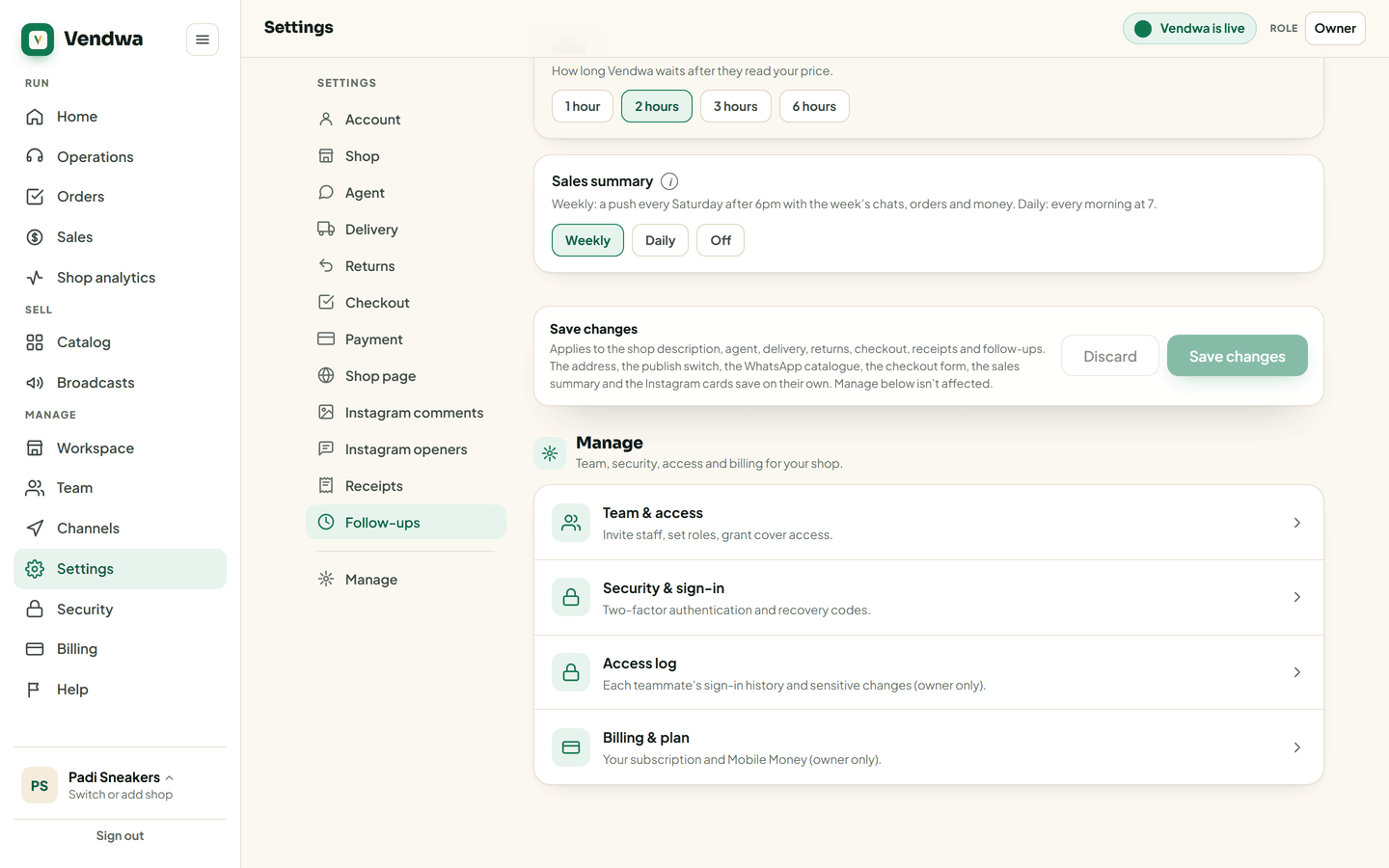
It saves straight away.
- Daily comes every morning at 7 with the day before. A day with no activity sends nothing.
- Off stops the summary. New-order pings still come.
Good to know
- The summary is a free push to the app. Make sure notifications for Vendwa are on in your phone's settings.
- Only owners and managers can change it, and only they get it.
- Want the figures on paper? See Download a sales report (PDF or CSV).
Was this helpful?
We read every answer. We do not ask for your name.