Your Sales screen
Web & iOS 1 min read
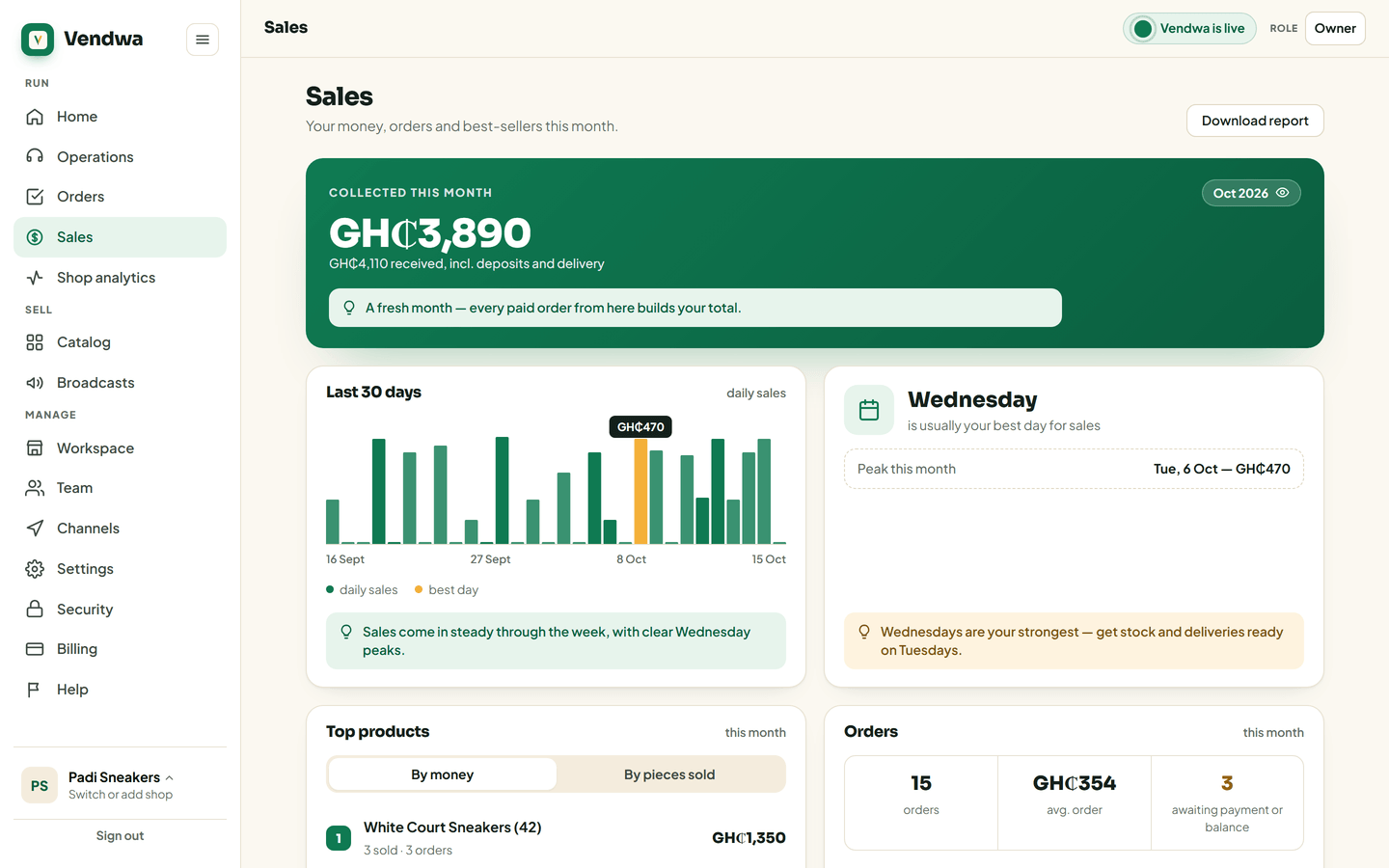
Money collected this month, your last 30 days, your best day, your top products, and where the sales came from. Owners and managers.
One screen answers "how is the shop doing?" without a notebook.
Open it
- On the web, open Sales in the menu.
- In the app, open it from Home.
What it shows
- Collected this month. The money from orders marked paid or delivered.
- Last 30 days. A bar for each day's sales, and the day of the week that is usually your best.
- Peak this month. Your biggest day so far.
- Top products this month. What is selling. Sort the list the way you want.
- Orders. How many, your average order, and how many are still awaiting payment or a balance.
- Where sales come from. WhatsApp, Instagram and the rest, as a share of the money.
Lower down, Where your orders come from shows which ads, posts and links brought the chats. See Where your orders come from, and what each ad returns.
Hide the amounts
Showing the screen to someone? Tap Hide the amounts. Tap Show the amounts to bring them back.
Good to know
- Money figures count paid and delivered orders only. Pending and part-paid orders are not included until they are fully paid.
- Sales you recorded by hand count too. See Record a sale.
- Only owners and managers see sales figures. A salesperson gets a short note instead.
Was this helpful?
We read every answer. We do not ask for your name.