Preview an item as a customer
Web & app 1 min read
See the exact message a customer will get for this item before anybody gets it.
You are handing your shop to a salesperson you cannot watch. This is where you read the sentence your customer will read.
Steps
- Open the product, or fill in the add-product form.
- Tap Preview as customer.
- Read the chat bubble: your shop name, the photo, the item name and the price.
- Close the preview and fix whatever looked wrong.
The preview uses what is on the form right now. Nothing has to be saved first.
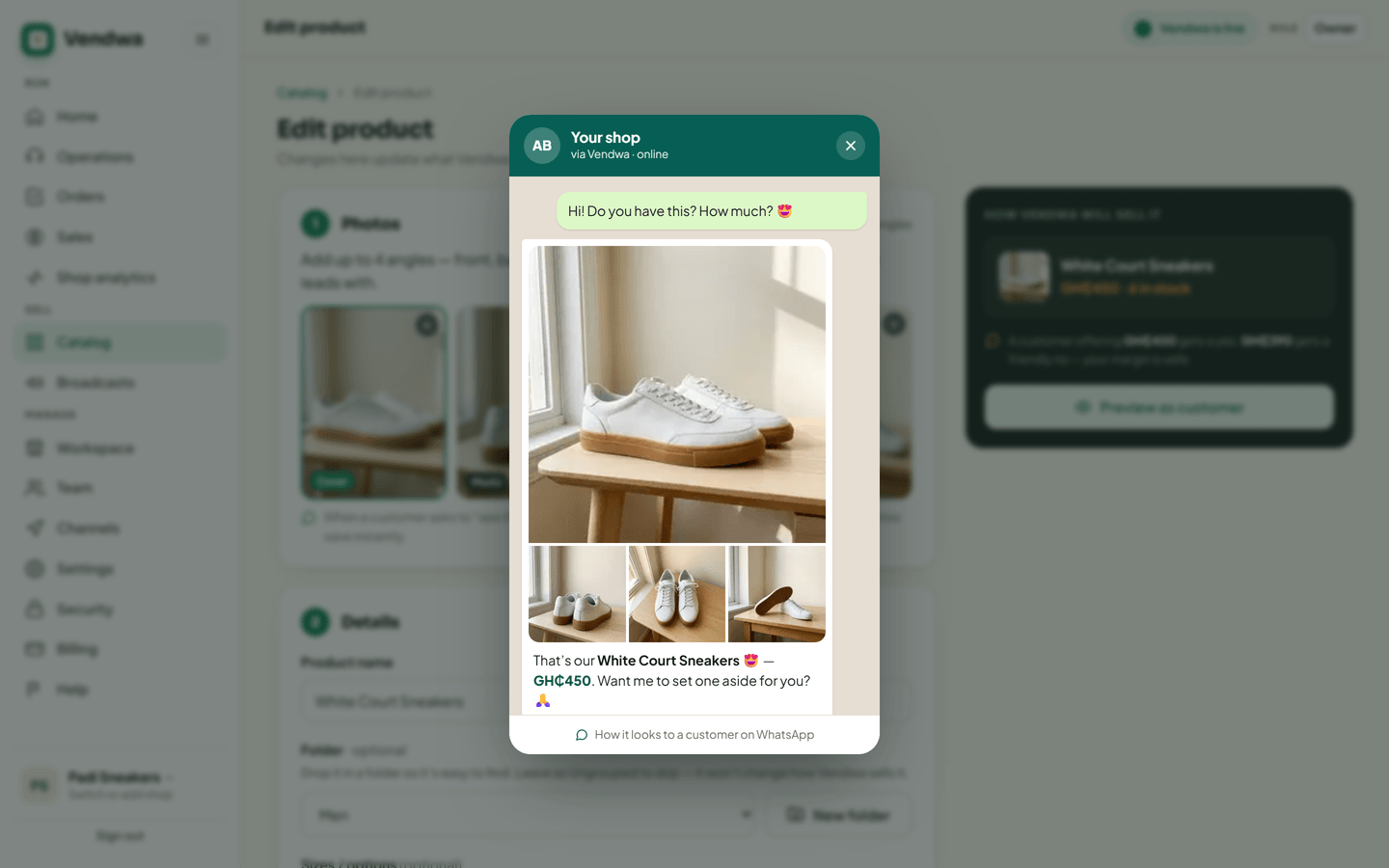
What to look for
- Does the name read the way a customer would say it?
- Is the cover photo the strongest one?
- Is the price the one you meant?
- Does the description say only what is true?
Good to know
The preview shows one item. It does not run a real negotiation, and it does not message anyone. To see the whole flow end to end, message the demo shop from the Channels page.
Was this helpful?
We read every answer. We do not ask for your name.