Selling price and floor price
The selling price is what Vendwa asks. The floor is the lowest it may ever accept. Customers never see the floor.
Two numbers run every negotiation.
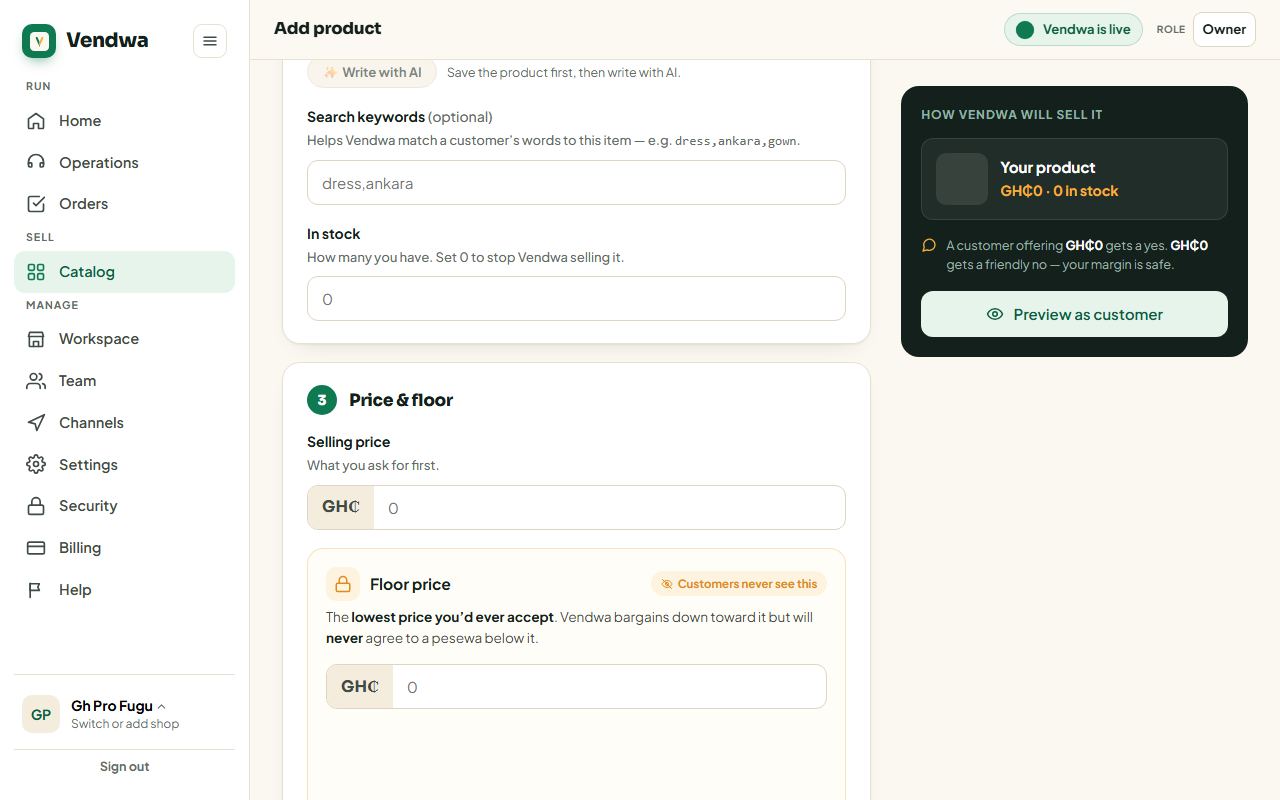
Selling price — what Vendwa asks for first. Floor price — the lowest you would ever accept.
Vendwa negotiates between them. It will never agree to a pesewa below the floor, no matter how hard the customer pushes.
Set them
- Open the product in Catalog.
- Enter the selling price in cedis.
- Enter the floor price in cedis.
- Save.
Example: price GH₵250, floor GH₵200. A customer offering GH₵200 gets a yes. GH₵190 gets a friendly no.
Fixed price
Tick Fixed price — no negotiation, or leave the floor empty. Vendwa then holds at the selling price and only accepts the full amount.
The floor is secret
Customers never see it. Vendwa will not reveal it, will not hint at it, and will not even confirm that a floor exists. Ask it "what's your lowest?" and you get a small move, not the bottom.
A salesperson on your team cannot see it either.
Good to know
- The floor cannot be higher than the selling price.
- You can beat your own floor any time. Whisper to Vendwa in the chat and it will honour your price without arguing. See Whisper to Vendwa.
- Change a floor whenever you like. It applies to the next negotiation, not to an order already recorded.
We read every answer. We do not ask for your name.