Write a description with AI
A first draft of your product description, written from the name and the photo. Three rewrites per product. Check every word.
Staring at an empty description box is the reason most catalogs have none. This button gives you something to fix instead of something to start.
Steps
- Save the product first. The button needs a saved item with a name.
- Open the product in Catalog.
- Add a photo if you have one. The draft is better with one.
- Tap Write with AI under the description box.
- Read every line. Change what is wrong. Delete what you would not say.
- Tap Save changes.
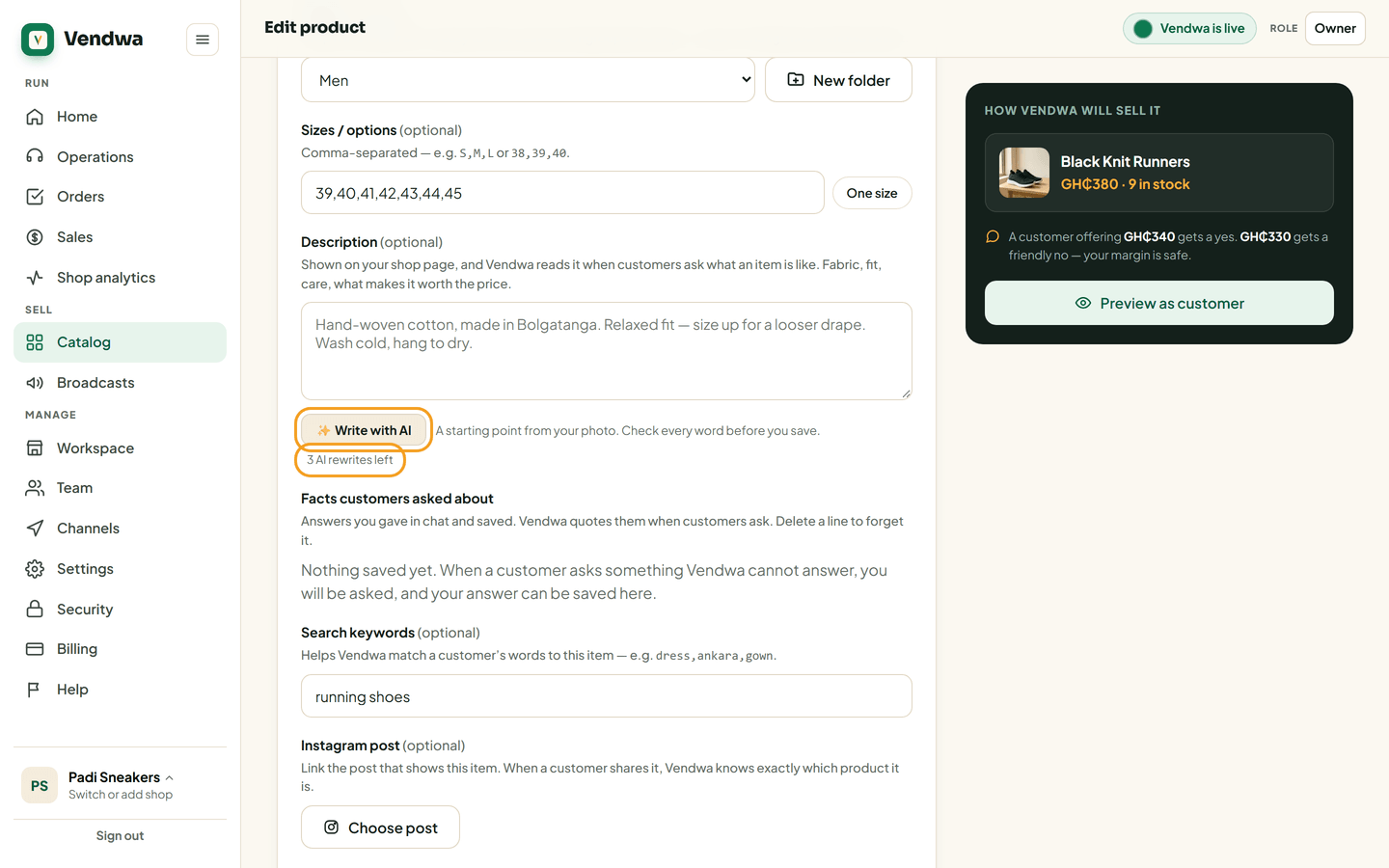
If there is already a description, the button says Rewrite with AI.
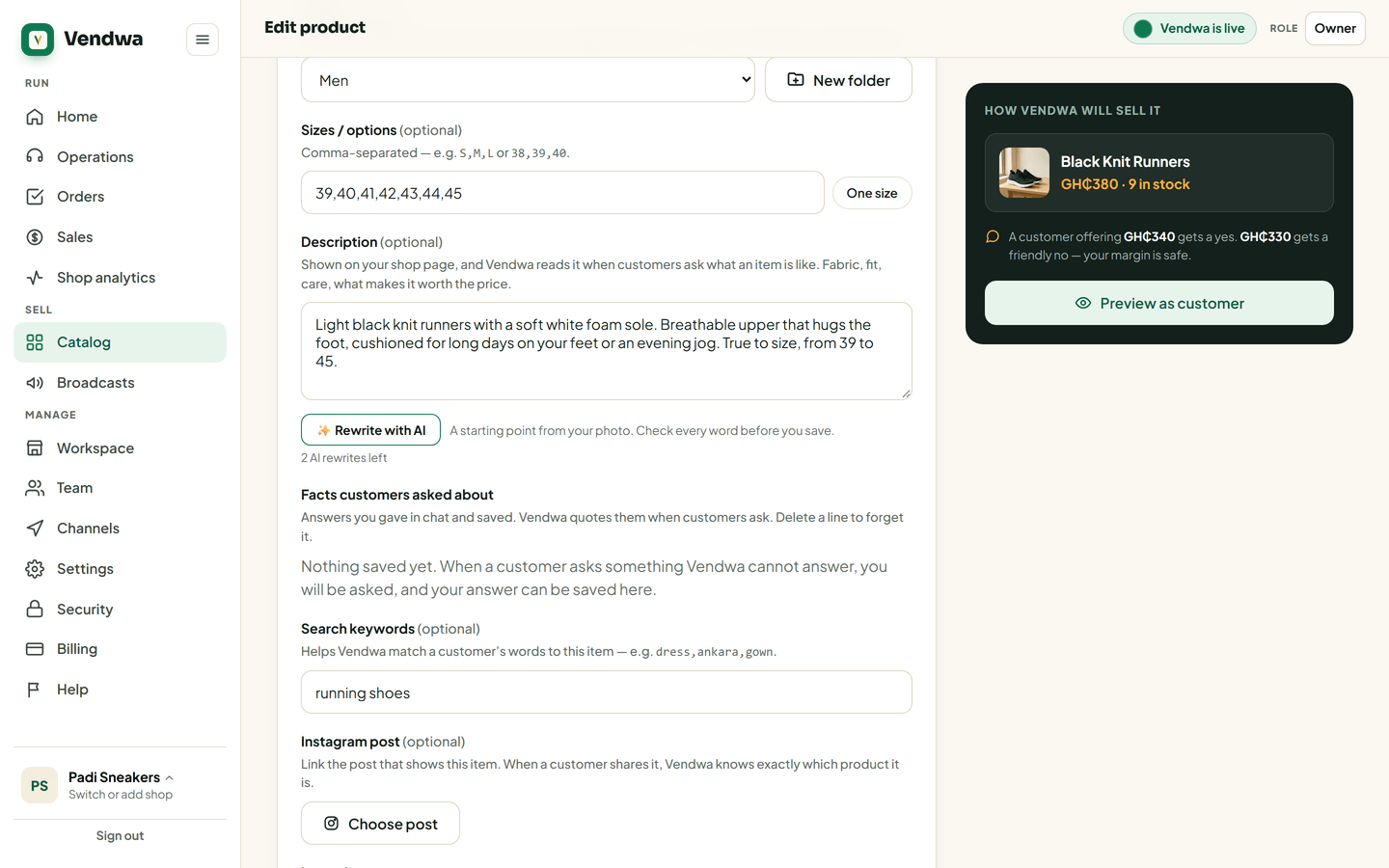
Three rewrites per product
Each product gets three AI rewrites. The counter under the box tells you how many are left. Typing your own description costs nothing and is never limited.
Good to know
The draft is a starting point, not a fact sheet. It can guess at fabric, origin or fit that you never told it. Anything you leave in there, Vendwa will say to a customer as if it were true — and a wrong claim comes back as a return. Read it as if a customer already believed it.
We read every answer. We do not ask for your name.