Choose who gets a broadcast
Pick one group, like past buyers or customers who asked about a product. The count shows how many messages it will use.
A message about new bags means little to someone who only buys shoes. Send it to the right group and more of them reply.
Every group only holds customers who said yes to new stock and arrivals from your shop.
The groups
Under Who gets it, pick one:
- Everyone who said yes
- Bought before: paid for an order before
- Asked about a product: asked about it in chat
- Asked about a folder: asked about anything in that folder
- Active in the last 30 days: wrote to you in the last 30 days
- Most recent: the customers who wrote to you last. You pick how many. The default is 20.
Tap More groups for three more:
- Bought this product
- On the waitlist for a product
- In a city, from their delivery address
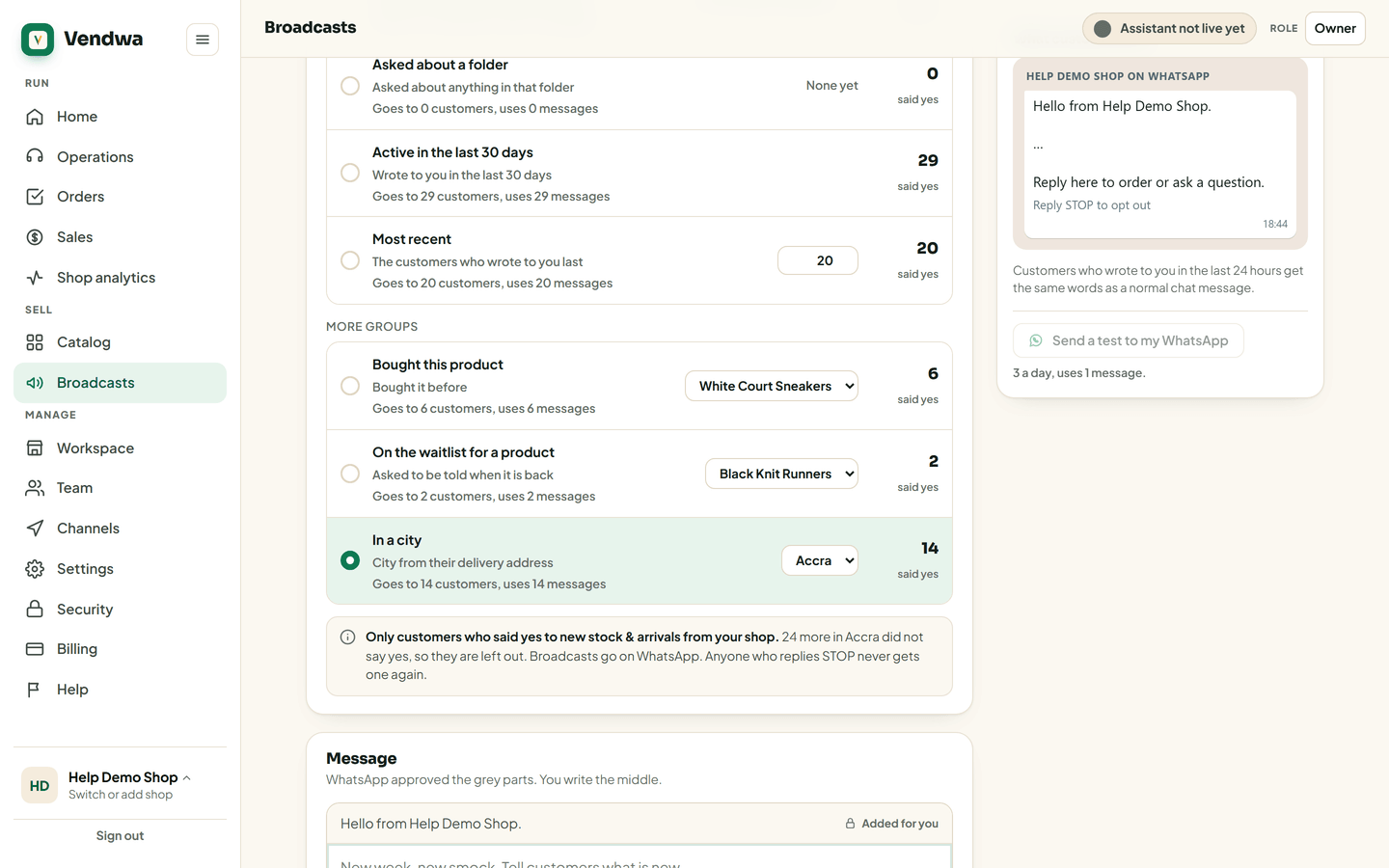
Read the count
As you choose, the screen says what it will cost. For example: "Goes to 23 customers, uses 23 messages."
One customer is one message, even with 10 product cards in it.
If you are short of messages
If the group is bigger than the messages you have left this month, the broadcast goes to the most recent customers in it, as many as you can cover. The screen tells you before you send. See Your monthly broadcast messages and top-ups.
If nobody is in the group
The screen says "Nobody to send to yet". Most often nobody has said yes so far. Vendwa asks each customer after they pay, so the list grows with every sale.
We read every answer. We do not ask for your name.