Your shop on the Vendwa market (shop.vendwa.com)
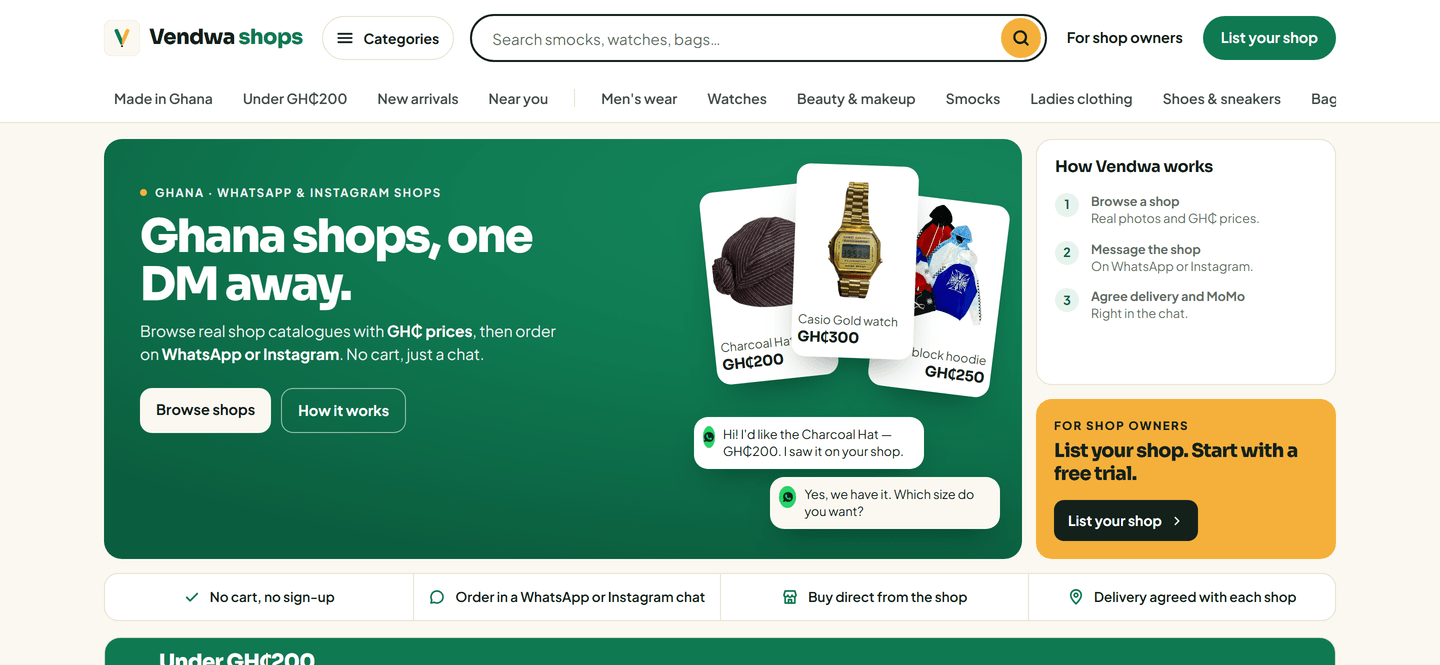
Publish your shop page and your items also appear on shop.vendwa.com, where shoppers browse by category and city, then message you.
Your shop page is yours, at your own address. Your items also appear on shop.vendwa.com, the Vendwa market, where shoppers who have never heard of you can find you.
How shoppers find you there
- Categories, like smocks, shoes or bags.
- Search by what they want.
- City, from the town your shop lists.
- Price shortcuts, like Under GH₵200.
- Top shops.
Each item shows its photo and price in cedis. A shopper taps Ask about this, or Message on WhatsApp or Message on Instagram on your shop's card. That opens a chat with your shop, and Vendwa answers. There is no cart and no checkout on the market. The sale happens in your chat, and the money goes to your own MoMo.
How to get on it
There is no separate step. Your shop appears when:
- your shop page is published (see Publish your shop page);
- at least one product has a photo and a price;
- WhatsApp or Instagram is connected, so the buttons open a real chat.
Switch your shop page off and your shop leaves the market too.
Look good there
- A clear cover photo on every item. See Cleaner product photos.
- Names shoppers search for, like "Brown Fugu smock", not "Item 12".
- Your town filled in, so city pages can list you.
- Reviews. Your rating shows once 3 customers have rated you. See Customer reviews and your replies.
Good to know
- The market never shows your floor prices, your phone number or your MoMo details.
- Sold-out items still show, sorted last, with Tell me when it's back.
- Shoppers can report a shop from the market. Vendwa removes fake shops.
We read every answer. We do not ask for your name.