Customer reviews and your replies
After an order, Vendwa asks the customer for a 1 to 5 rating. Reviews show on your shop page, and you can reply to each one.
A new customer trusts other buyers more than they trust you. Reviews put those buyers on your shop page.
How customers are asked
About a day after delivery, or 3 days after the final payment, Vendwa asks the customer to rate their order from 1 to 5 stars. On WhatsApp they pick from a list. On Instagram they tap a number. They can add a comment.
Vendwa asks once per order, and never the same customer twice in 30 days. It waits for a quiet moment, and never asks in a chat you have taken over.
Where reviews show
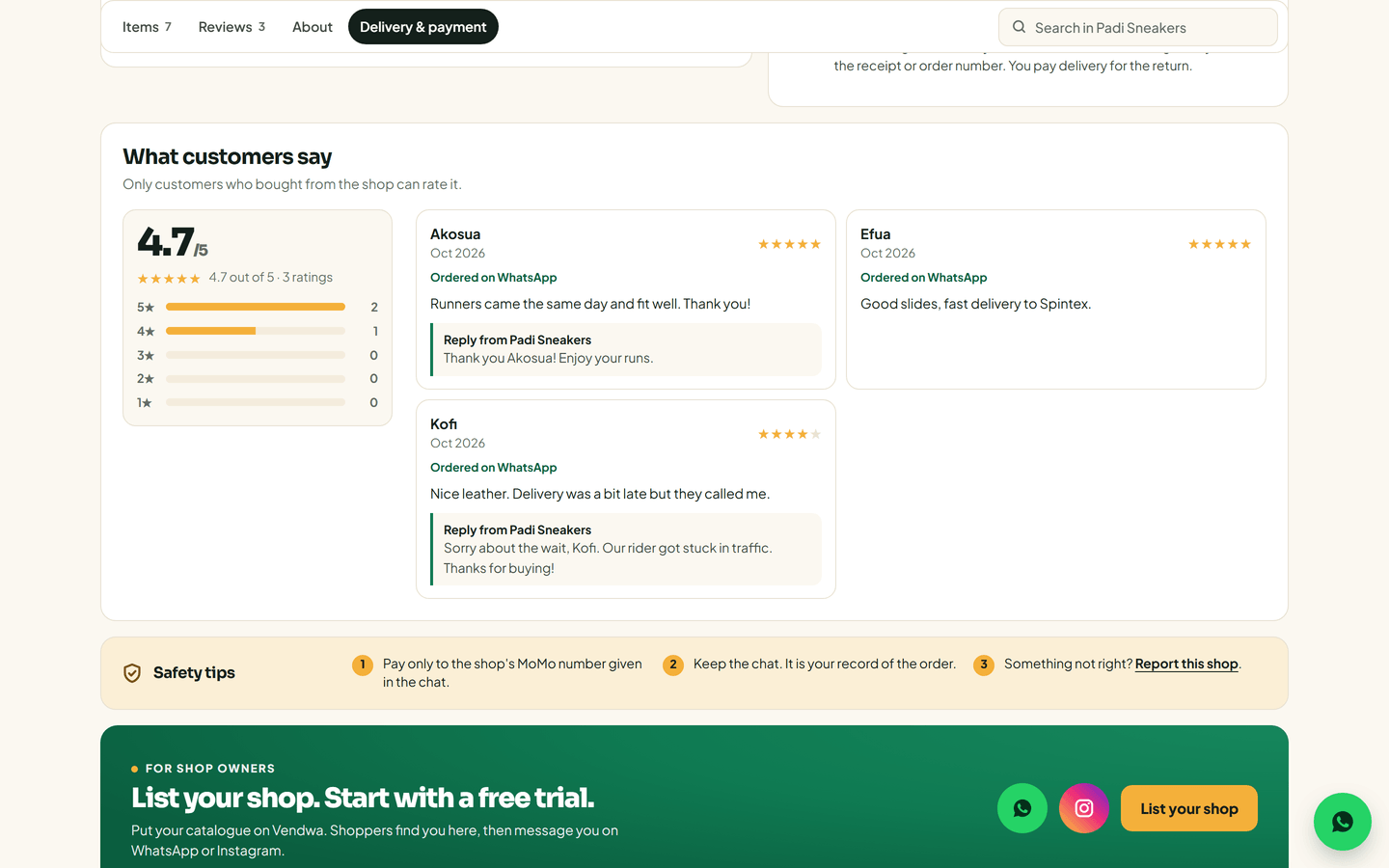
- On your shop page and on shop.vendwa.com, under What customers say.
- Your average rating shows once 3 customers have rated you.
- Only customers who bought from you can rate you.
Every review is public. You cannot hide one. You can answer it.
Reply to a review
- On the web, open Shop analytics and find Customer reviews. In the app: Account, Shop analytics, Reviews.
- Type your reply, up to 300 characters, no links.
- Save.
Your reply shows under the review as "Reply from" your shop. If the customer wrote to you in the last 24 hours, Vendwa also sends it to them in the chat.
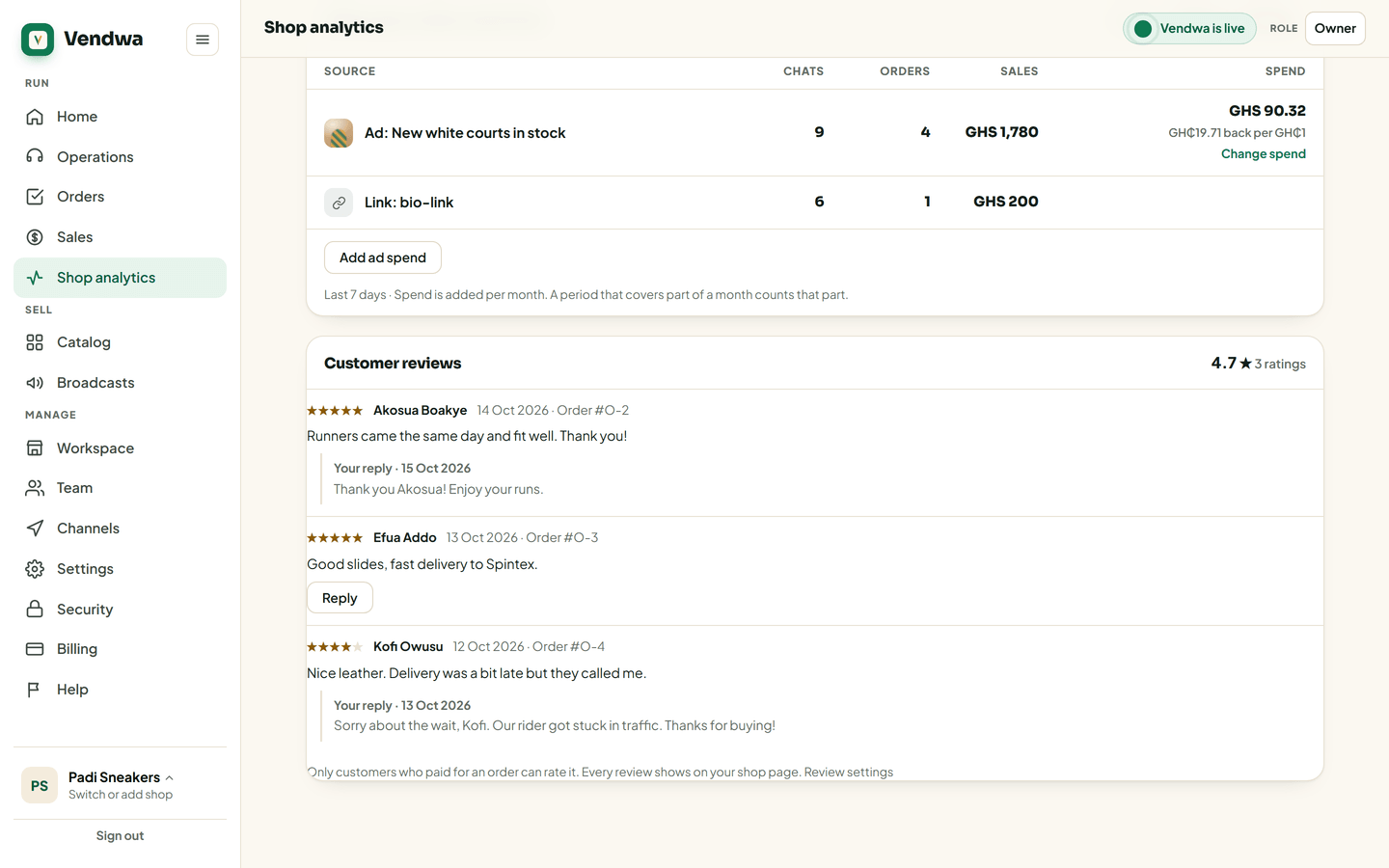
You can edit a reply for 5 minutes. After that it is fixed, so read it twice.
Low ratings
When a customer gives 1 or 2 stars, you get a push with the rating and their words, so you can put it right quickly.
Good to know
- To stop Vendwa asking for ratings, turn off Customer reviews in Settings, Shop page.
- A calm reply to a bad review does more for the next customer than the review does against you.
We read every answer. We do not ask for your name.