What customers see on your shop page
Web & app 1 min read
Your name, your logo, your items, your reviews, and buttons that open a chat with you.
The page
- Your shop name, your logo and your tagline at the top, with your About text under them.
- Your items with photo, name and price in cedis. Your folders become the sections.
- A count of what is in stock and what is sold out.
- Your delivery areas, and Pay on delivery if you offer it.
- Your reviews, under What customers say, once 3 customers have rated you.
The buttons
Your page carries Message on WhatsApp, and Message on Instagram if Instagram is connected. Each item also has Ask about this. It opens a chat with your shop, with the item already named, and Vendwa answers.
There is no cart. The customer agrees the item, delivery and payment with you in the chat.
Sold-out items
They stay on the page, marked Sold out, with a Tell me when it's back button. That tap opens a chat where Vendwa offers to tell the customer when the item returns. When you restock, they get a message. See your waiting list in Catalog.
What the page never shows
- Your floor prices.
- How many of each item you have left.
- Your phone number or your MoMo details.
Set your name, logo and tagline
- Open Workspace.
- Edit the shop name and tagline, and upload your logo.
- Save.
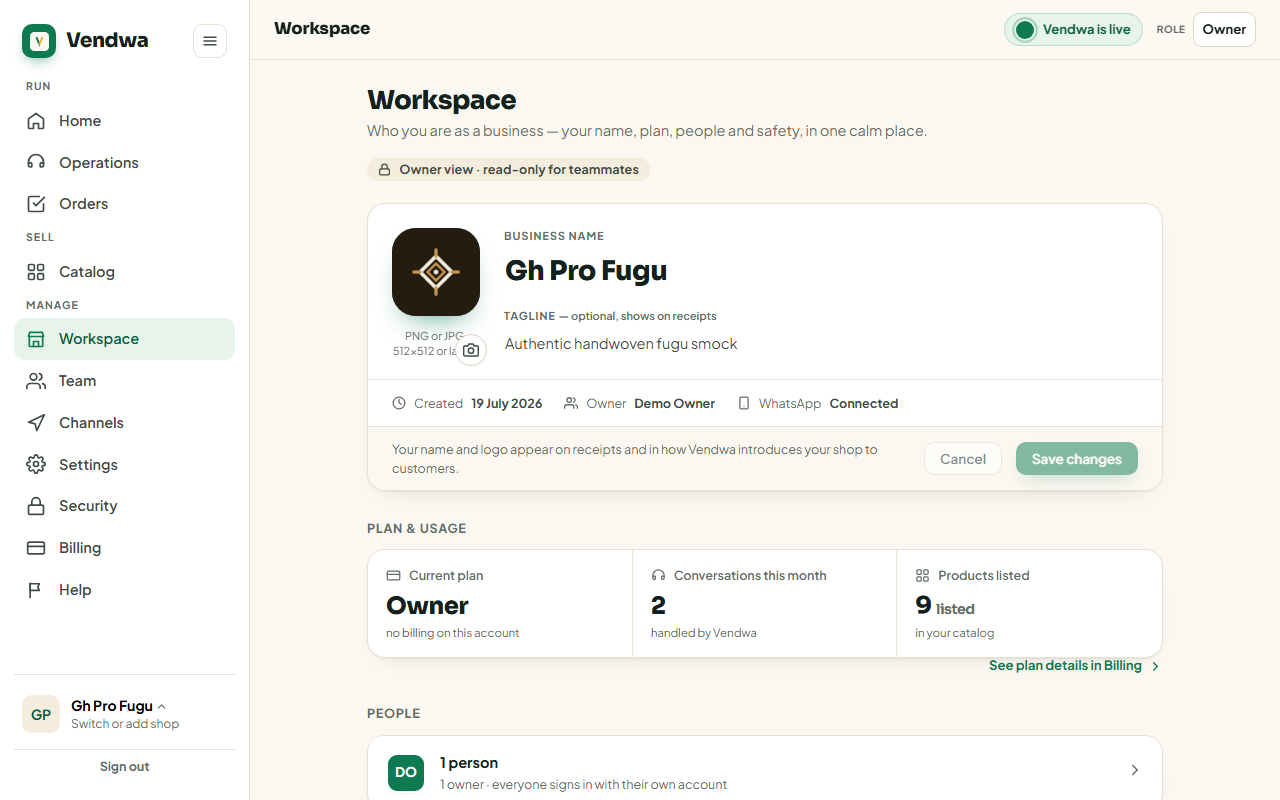
Owner only.
Good to know
- Your items also appear on the Vendwa market at shop.vendwa.com, where shoppers browse by category and city. See Your shop on the Vendwa market (shop.vendwa.com).
- Every page carries a link for shoppers to report a shop, including yours.
Was this helpful?
We read every answer. We do not ask for your name.