Turn on two-step sign-in
Web & app 1 min read
A 6-digit code at sign-in, by email, SMS or an authenticator app. Plus 10 recovery codes.
A password can be guessed or shared. A second step means somebody needs your phone or your inbox as well.
Pick how you get your code
Three choices. One account, one method — change it whenever you like.
- Email — a 6-digit code to the address on your account.
- SMS — a code texted to your verified number. Verify the number first. See Verify your phone number.
- Authenticator app — a code that changes every 30 seconds, from any authenticator app.
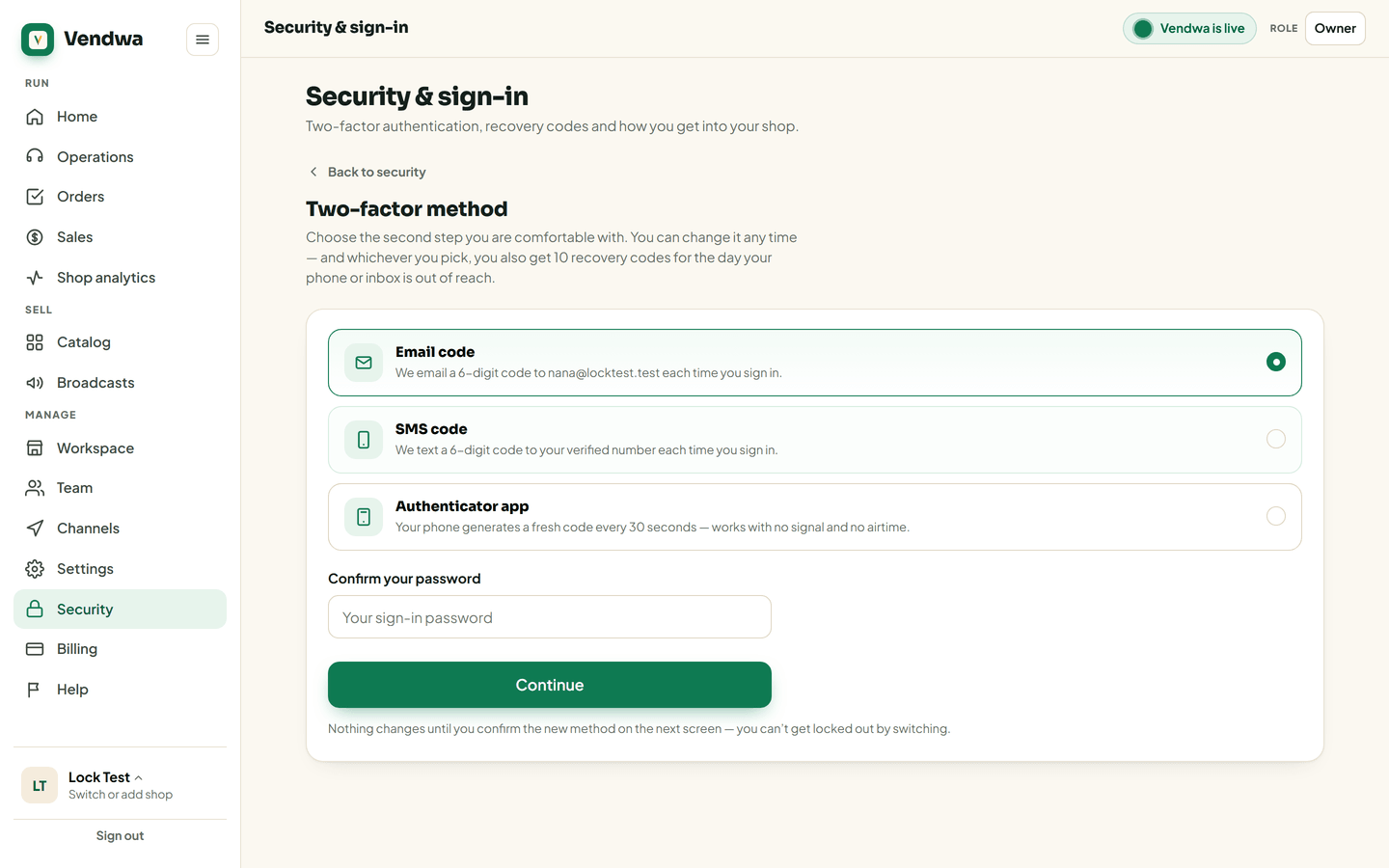
Turn it on
- Open Security.
- Tap Set up two-factor.
- Enter your password and choose a method.
- Enter the 6-digit code once, to prove it reaches you.
- Save your 10 recovery codes.
Nothing switches over until step 4 succeeds, so a half-finished setup can never lock you out.
Your recovery codes
Ten codes, shown once. Each works once. They are your way in when your phone is lost, stolen or flat.
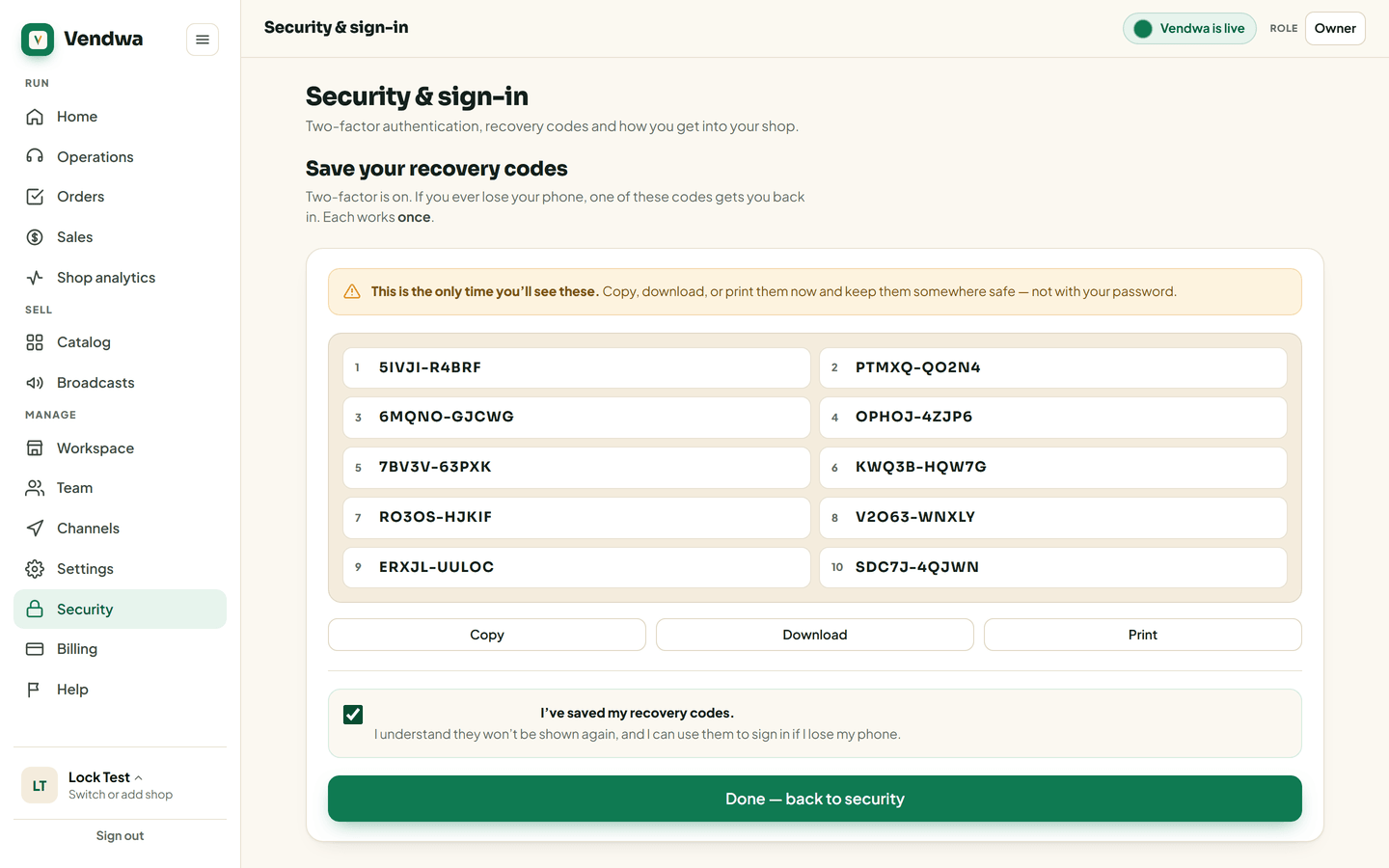
Copy them, print them, or write them down and keep them somewhere only you can reach. We cannot show them again.
Running low? Get new recovery codes in Security issues a fresh set of ten.
Good to know
- Recovery codes work with every method.
- Changing or turning off the second step sends a security alert to the account email.
- Deleting a shop or transferring ownership needs your password and a live code.
Was this helpful?
We read every answer. We do not ask for your name.