Change or reset your password
Web & app 1 min read
Change it from Security. Forgot it? We text a code to your verified phone, or email a link if the phone is not verified.
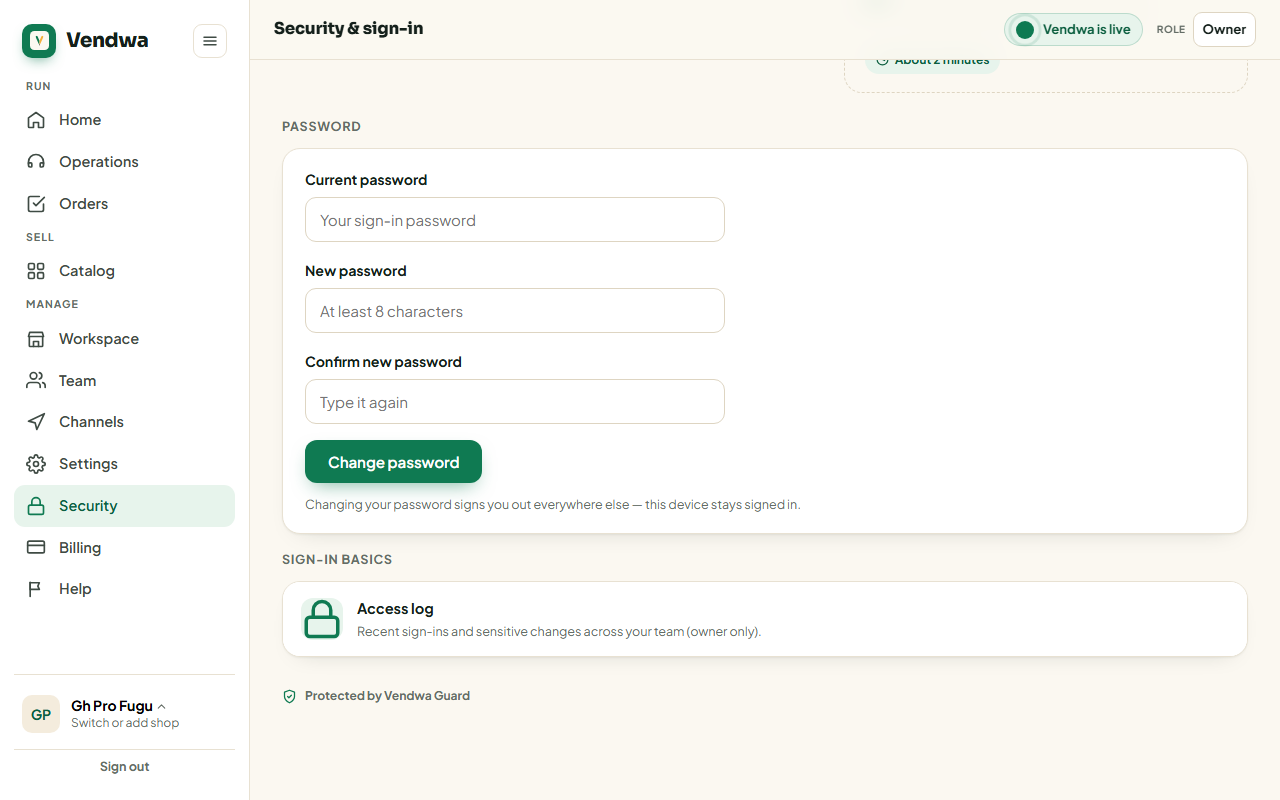
Change it
- Open Security. In the app: Account, Security, Password & 2FA.
- Enter your current password.
- Enter the new one twice. At least 8 characters, and different from the old one.
- Tap Change password.
Every other device signed in to your account is signed out. The device you are using stays signed in.
Forgot it
- Go to app.vendwa.com/forgot-password, or tap Forgot password? on the app's sign-in screen.
- Enter your email or your phone number.
- Tap Send reset code and link.
What comes next depends on your phone number:
- Phone verified: we text you a 6-digit code. Type it in, then set a new password.
- Phone not verified: we email you a link instead. Open it and set a new password.
You get one or the other, never both. If you use two-step sign-in, we ask for that code too when you sign in again.
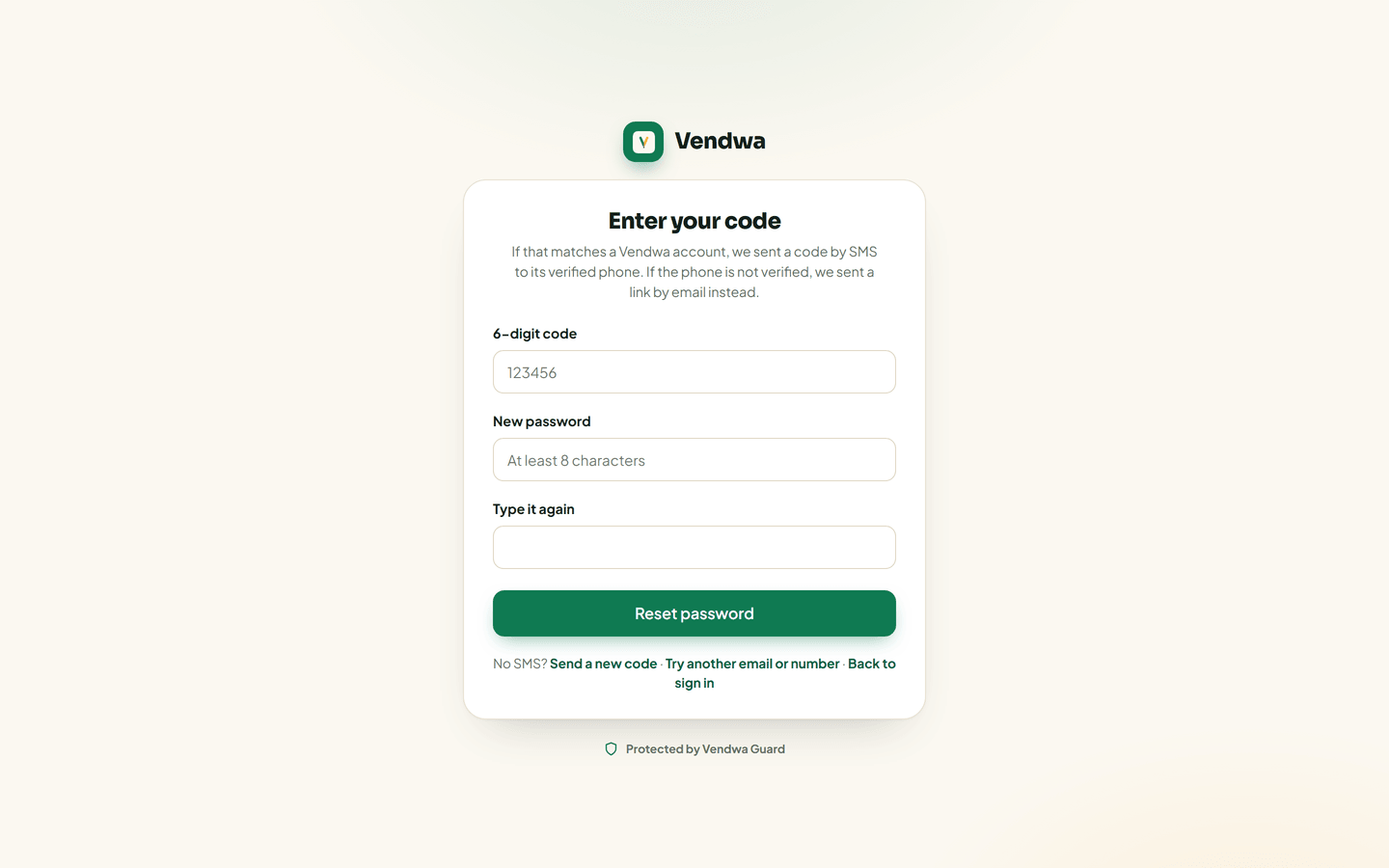
Resetting signs out every device on the account, including the phone that lost the password.
If nothing arrives
- Waiting for a code? Tap Send a new code.
- Waiting for an email? Check spam, and check you typed the address on the account.
- Still nothing? Email support@vendwa.com from that same address.
Good to know
- Password changes are written to the Access log.
- A sign-in from a new device does not change your password. If you think somebody else has it, change it and then sign out every other device. See Devices and sessions.
Was this helpful?
We read every answer. We do not ask for your name.