Deposits and balances
Web & iOS 1 min read
Let customers pay part now and the rest on delivery. Vendwa works out the split, reminds once, and you mark the balance paid.
A customer wants the dress but has only half the money today. With deposits on, Vendwa can still close that sale.
Switch deposits on
- Open Settings, then Payment terms.
- Turn on Part payment (deposit) and set the % due upfront, from 10 to 90.
- Save.
See Pay on delivery and deposits for the full setting.
What the customer sees
At checkout, the customer taps Pay deposit or Pay full. Each button shows its exact amount. Vendwa works out the split. It never invents its own numbers.
When the deposit arrives
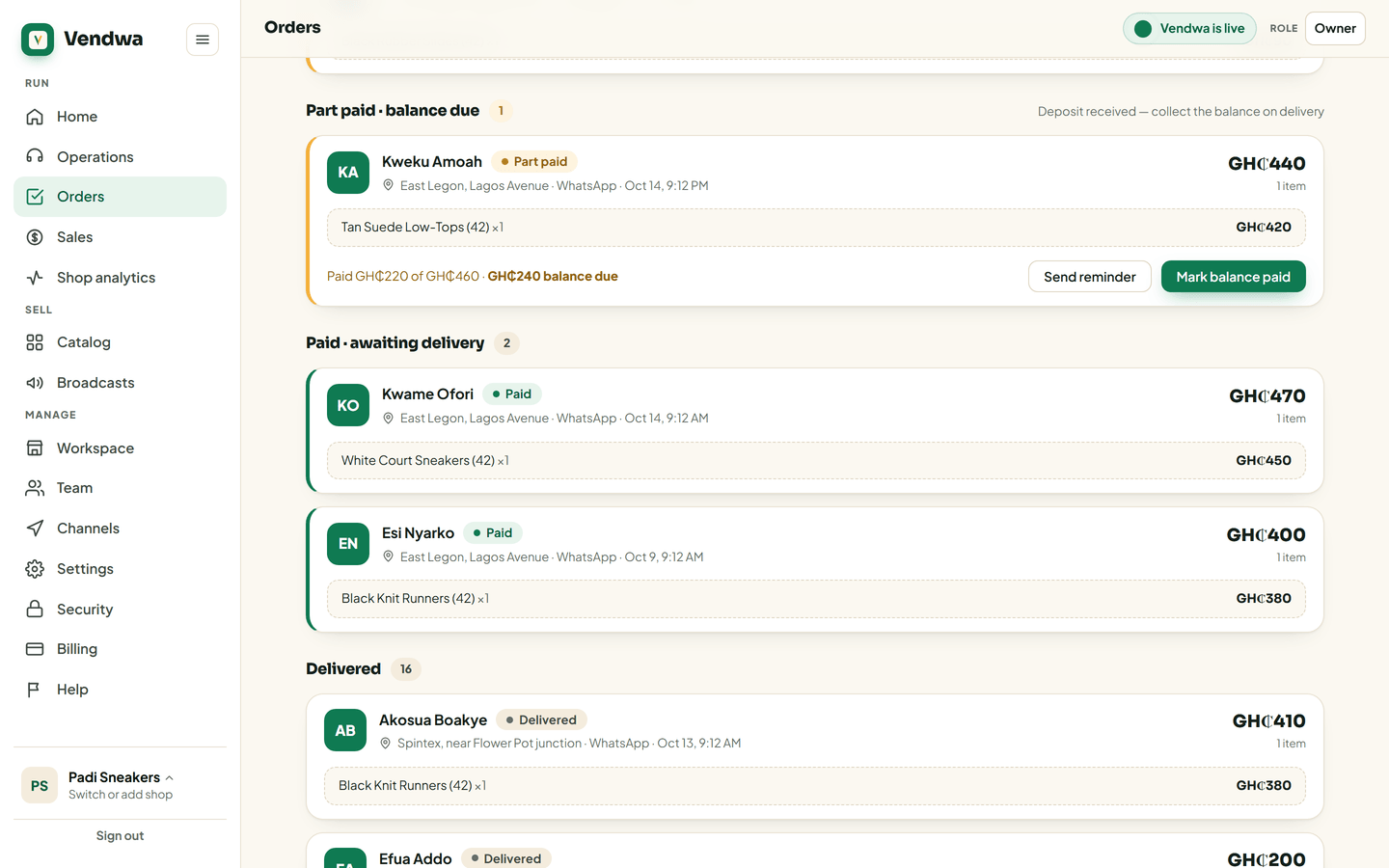
Mark the order paid as usual. It moves to Part paid and shows "Paid GH₵X of GH₵Y". On the web, Orders lists these under Part paid · balance due.
Collect the balance
- Paid in cash on delivery? Open the order and tap Mark balance paid. The customer gets their final receipt.
- Customer still owes? On a WhatsApp order, tap Send reminder. Vendwa messages the customer asking for the balance still due.
Vendwa also sends one balance reminder on its own. Only one.
Good to know
- Part-paid orders do not count in your sales figures until the balance is paid.
- Only an owner or a manager can mark a balance paid or send a reminder.
- Collecting the balance on delivery is between you and your rider. Vendwa writes the terms on every order so nobody forgets them.
Was this helpful?
We read every answer. We do not ask for your name.