Receipts
Web & app 1 min read
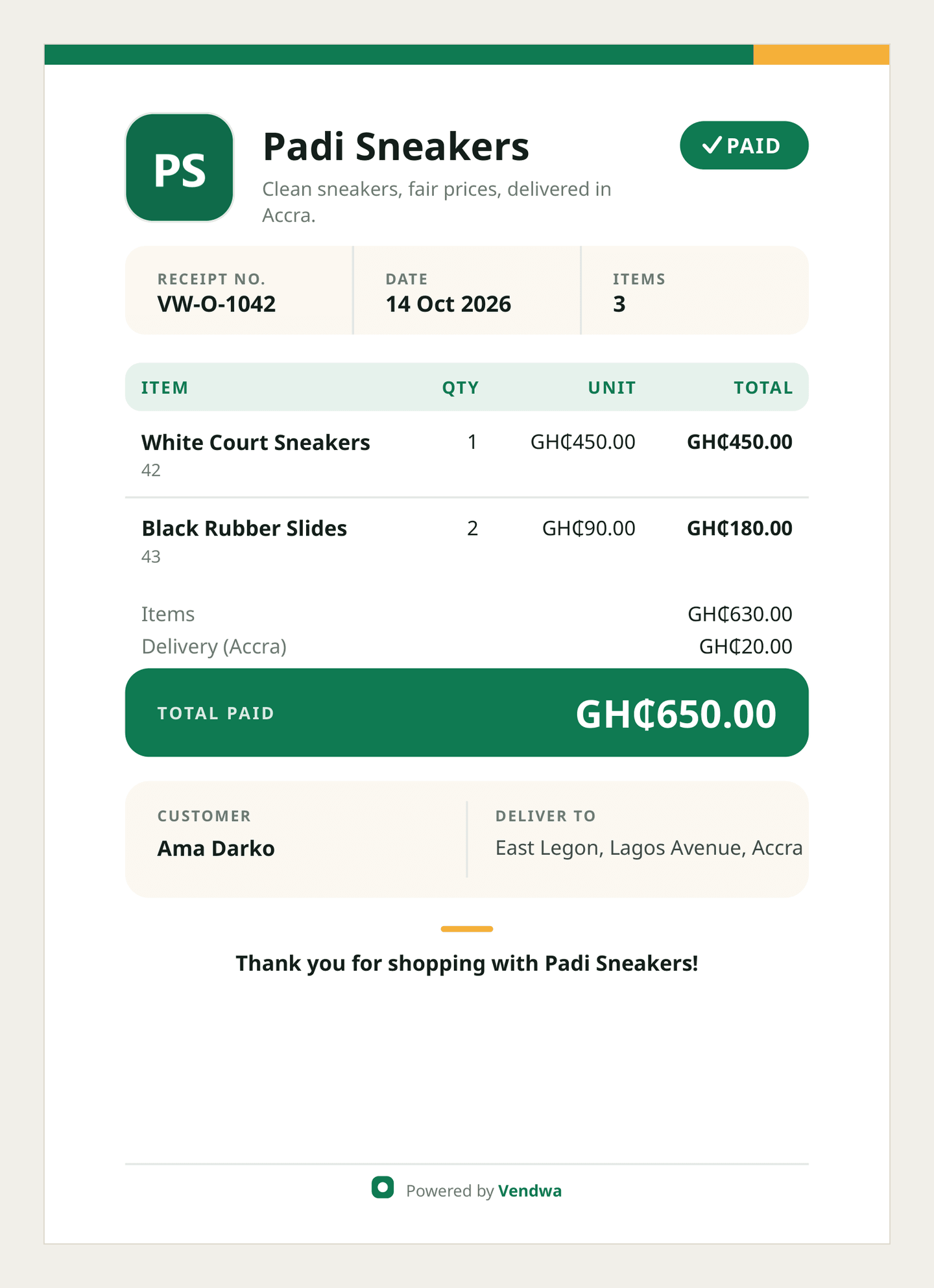
A PDF receipt with your logo goes to the customer the moment an order is marked paid.
Every paid order sends the customer a receipt — a PDF carrying your shop name, your logo, the items, the delivery fee and the total.
It goes out on the customer's own channel, so a WhatsApp buyer gets it on WhatsApp and an Instagram buyer gets it in their DMs.
When it sends
- You tap Mark Paid.
- You tap the paid button on the WhatsApp ping.
- A MoMo payment prompt is approved.
All three do the same thing.
Turn it off
If you issue your own receipts:
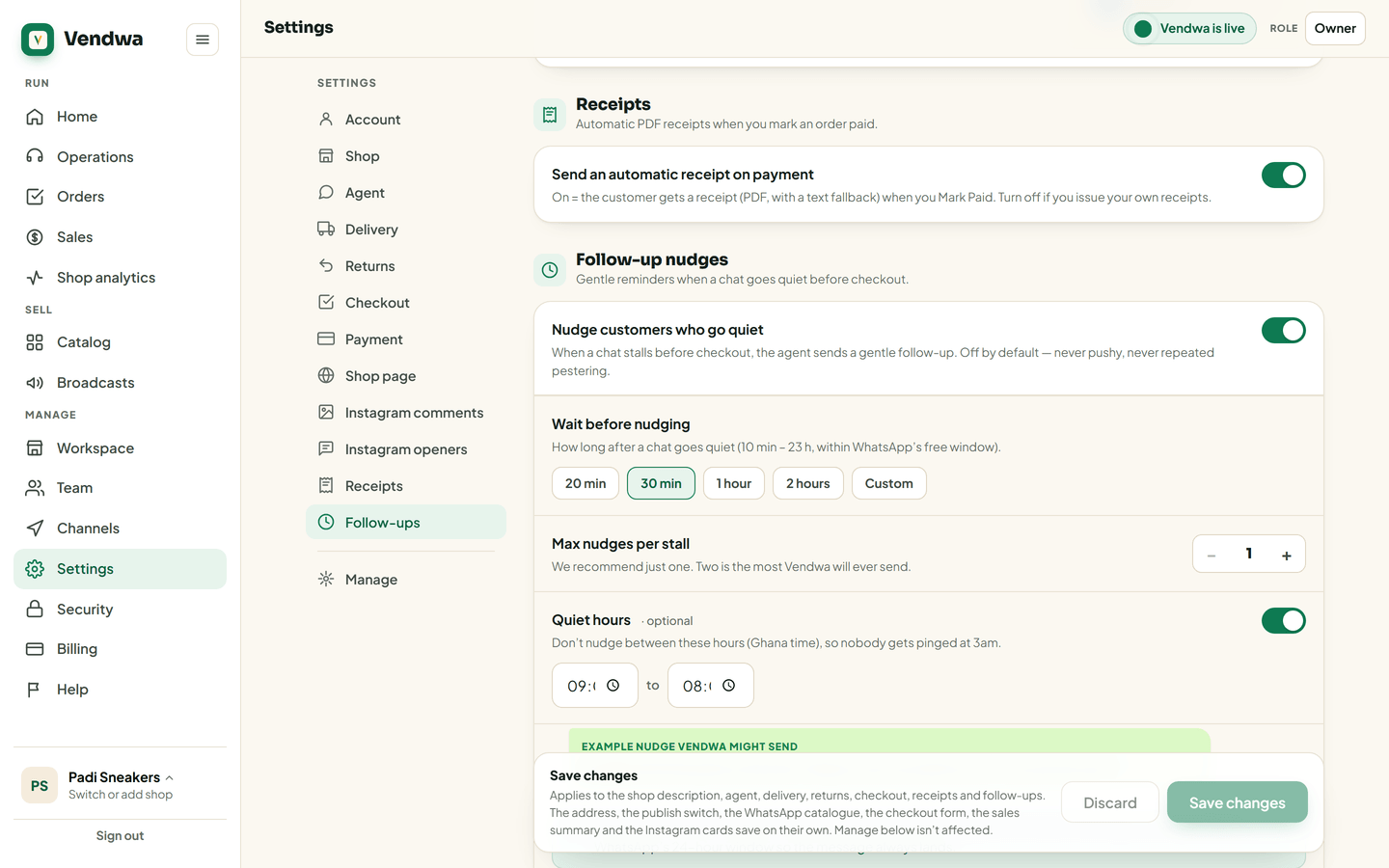
- Open Settings.
- Find Receipts.
- Turn off Send an automatic receipt on payment.
- Save.
Put your logo on it
- Open Workspace.
- Upload your logo and write your tagline.
- Save.
Shops with no logo get a clean monogram of your shop's initial instead.
Good to know
- The total on the receipt is the total that was recorded in the chat. They cannot differ.
- If the PDF does not open on the customer's phone, a plain text version follows.
- Every receipt carries a short reference number. Quote it when you contact us about an order.
Was this helpful?
We read every answer. We do not ask for your name.