The MoMo payment prompt
Vendwa pushes a payment request to the customer's phone. They approve with their PIN and the receipt sends itself. Included on every plan, switched on once you ask us for it.
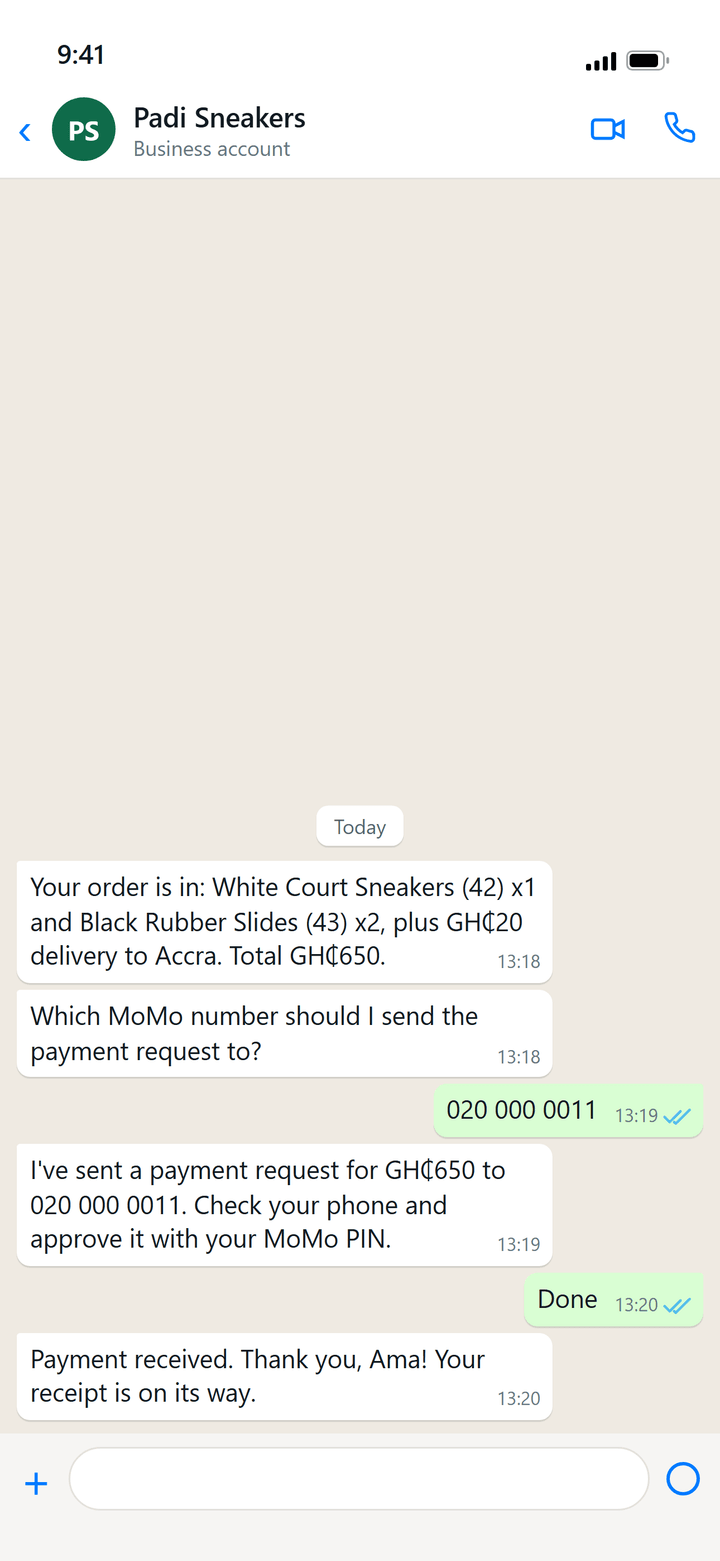
Instead of typing your MoMo number and waiting, Vendwa can push the payment request straight to the customer's wallet. They approve it with their PIN. The order marks itself paid and the receipt goes out. You tap nothing.
It works with MTN, AirtelTigo and Telecel numbers, and it is included on every plan — Starter, Pro and Business alike. There is nothing extra to buy.
We switch it on for your shop once you have agreed it with the front desk. Until you do, your shop sells the other way: the customer pays your MoMo number directly and you mark the order paid yourself. That is the only difference, and every other part of the sale is the same.
How it goes in the chat
- The customer agrees and the order is recorded.
- Vendwa asks which MoMo number to bill. It always asks — it never assumes the delivery phone is their wallet.
- It sends the prompt to that number.
- The customer approves it on their phone.
- The order flips to Paid and the receipt sends automatically.
If the prompt fails, Vendwa falls back to your MoMo details and asks the customer to send the money the usual way. The sale is never stranded.
Ask us to switch prompts on
- Message the front desk on WhatsApp: +233 59 112 1573.
- Tell us your shop name and the MoMo number the money should land in.
- We check the number, agree the details with you, and switch prompts on for your shop.
We do this by hand on purpose. Prompts move real money into a real wallet, so a person confirms the account is yours before a single request goes out.
While you are waiting, nothing stops. Vendwa keeps selling, keeps recording orders, and keeps giving your customers your MoMo details to pay the usual way.
Set your MoMo details
Set these whether or not prompts are on. Without prompts they are how your customer pays you; with prompts they are the fallback.
- Open Settings.
- Fill in MoMo details — number and the registered name. Example: MTN MoMo 0550000000 (Ama Mensah).
- Save.
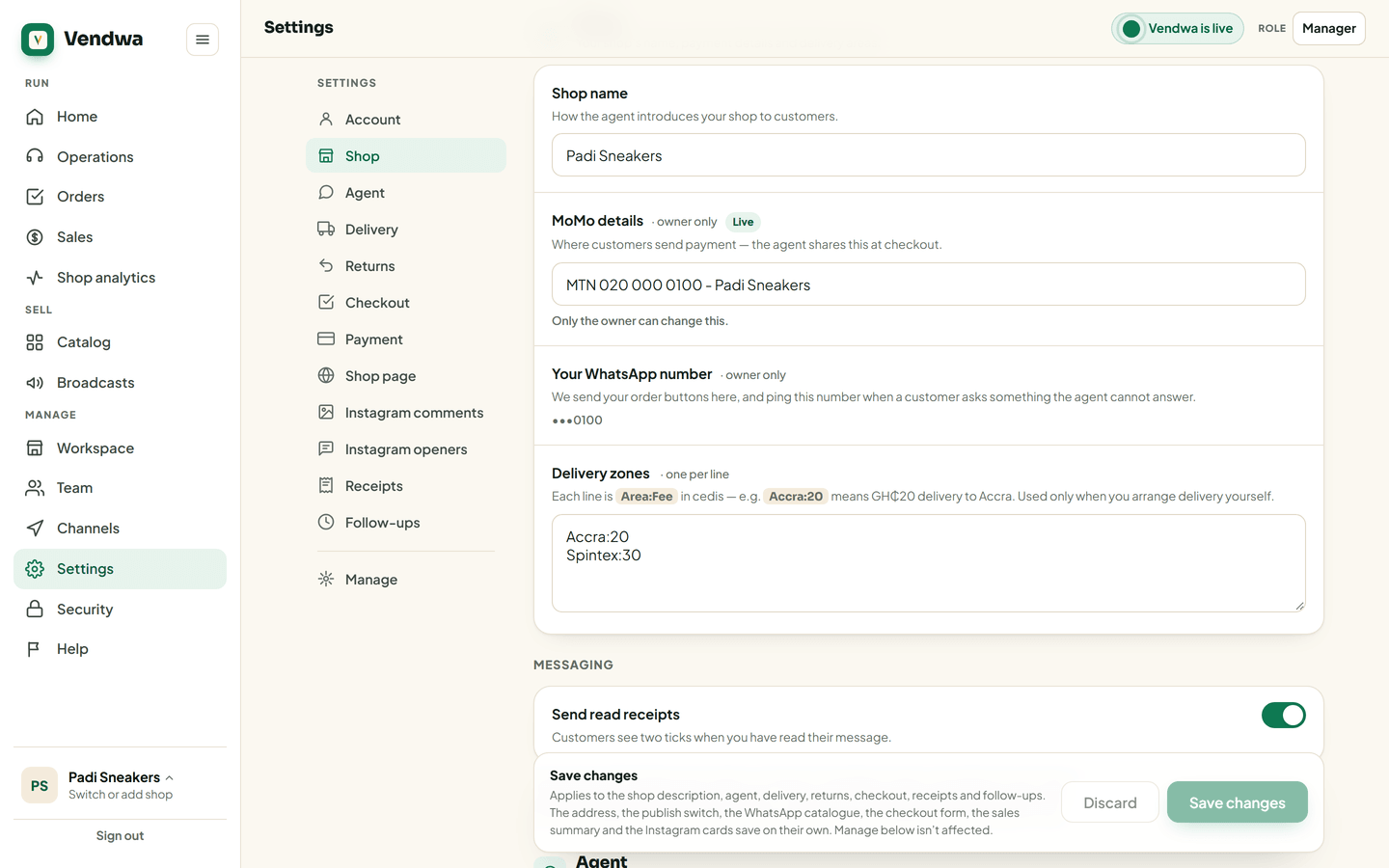
Only the shop owner can change this.
Good to know
- Vendwa never announces a prompt it did not send, and never confirms a payment itself. Only real money moves the order.
- The money settles to your own account, not to Vendwa. We take no commission on it.
- If prompts are not on for your shop yet, never mark an order paid on a screenshot. Check your own wallet. See Mark an order paid and delivered.
We read every answer. We do not ask for your name.