Tell customers when it's back
When a sold-out item is asked for, Vendwa offers to tell the customer when it returns. Restock it and they get a message.
"Do you still have the brown one?" No. That used to be the end of the sale. Now it is the start of a list.
What the customer sees
When a customer asks for an item that is sold out, Vendwa says so plainly, offers something similar that is in stock, then asks once: "Want me to tell you when it's back?"
On WhatsApp they tap Yes, let me know or No thanks. Vendwa may also ask how many they want.
![WhatsApp mock (bd-designer frame, not a phone capture): customer asks for a sold-out item, Vendwa replies "Want me to tell you when it's back?" with Yes, let me know / No thanks, then the [1] [2] [More…] quantity buttons. Mock shop "Padi Sneakers", fictional customer](/help/shots/wa-01-waitlist-chat.png)
On your shop page, a sold-out item has a Tell me when it's back button that opens the same chat.
What you see
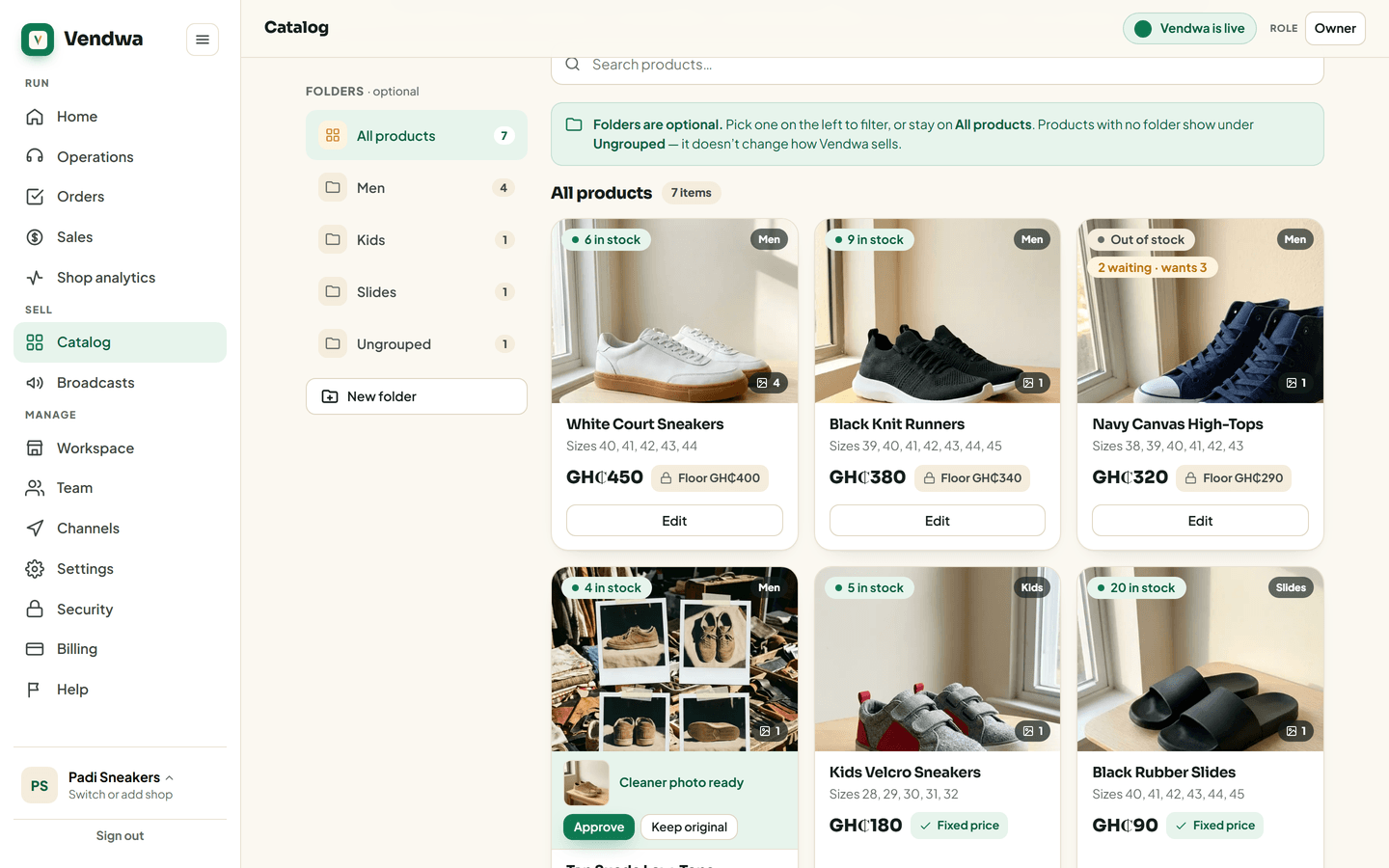
In Catalog, the sold-out item carries a pill: 3 waiting · wants 5. That is three customers, five pieces between them. Use it to decide how many to reorder.
Restock
- Open the product.
- Set stock above 0.
- Save.
Within about 15 minutes, each waiting customer gets a message: "Good news Ama. Red Ankara Dress is back in stock at Ama Boutique. Reply here to order it before it goes again." When they reply, Vendwa sells as usual and quotes the current price.
Good to know
- WhatsApp limits messages to people who last wrote more than a day ago. Where WhatsApp does not allow the notice for your number, that customer is not told.
- If your shop is paused, or you have taken over that customer's chat, the notice waits until Vendwa is talking again.
- Joining the list is not a yes to broadcasts. You can still send a broadcast to "On the waitlist for a product" if those customers said yes to new arrivals.
We read every answer. We do not ask for your name.